Whatagraph Review for Agencies: Pricing, Features & Honest Comparison (2026)
TLDR: Netherlands-based Whatagraph is a popular marketing reporting platform provider that’s designed for marketing agencies and in-house marketing teams to simplify their reporting processes. With 55+ data integrations, extensive dashboard customization, and white-labelled branding options, it's a strong contender for your marketing reporting and client communication needs.
But two things make it a harder sell for smaller agencies: a pricing model where costs jump sharply as you grow, and key email marketing and SEO integrations locked behind the higher tier.
This in-depth review evaluates Whatagraph based on what small teams actually need from their automated reporting tool: ease of use, pricing transparency, quick setup, and reliable support. We'll show you where Whatagraph excels and where DashThis might be a better Whatagraph alternative to help you decide which analytics platform matters most for your agency.
Why you can trust this Whatagraph review
We're DashThis, so yes, we're Whatagraph's competitor.
This puts us in a good position to evaluate other data analytics tools for marketing agencies. We've spent years working with over 10,000 small marketing agencies and solo marketers since 2011.
For this review, we dug through a mix of verified customer reviews from Capterra, Trustpilot, and G2 from 2023 to 2026, our own hands-on testing of Whatagraph in January and February 2026, along with interactions with their customer support channels.
We want to help you make the right choice for your agency, whether you end up choosing DashThis, Whatagraph, or a different solution altogether.
Quick verdict and key takeaways
Whatagraph is a capable reporting platform with strong customization and responsive support. For larger agencies willing to invest time in the setup, it holds up well. For smaller agencies, the pricing model is the bigger concern. The Start plan's 20 source credits run out fast as you grow, and Whatagraph has no option to add credits without a full plan upgrade. If any of your clients need email marketing or SEO reporting, you're on the Boost plan at $579/month regardless of your source count.
Who Whatagraph is best for
- Agencies with a larger client roster and technical staff or budget for dedicated support
- In-house teams who are familiar with the technical know-how of report-building
Who Whatagraph isn’t ideal for
- Non-technical agency owners or small in-house teams who need simple, professional marketing reports without a steep learning curve
- Small SEO or email marketing agencies, as these core integrations require the Boost plan ($579/month)
- Agencies serving many smaller-budget clients across multiple platforms, as each connected platform counts as a separate source regardless of campaign size or spend.
Key features
| Integrations, 55+ connectors available | Availability varies by subscription plan |
|---|---|
| Stability | Whatagraph communicates a 99.95% uptime policy although users report technical issues while editing reports in reviews |
| Ease of use | Needs some experience with reporting software or time to get used to their interface |
| Security and privacy features | GDPR compliance: AES-256 and HTTPS data encryption |
Pros and cons at a glance
- Integrated AI support throughout report building and analysis
- Extensive customization options for report layouts, widgets, cross-platform metrics, and data visualizations
- Helpful and responsive customer support
- Key features and integrations are locked behind higher-tier plans
- A $293/month price jump between Start and Boost, with no option to add credits incrementally
- A steep learning curve for non-technical users
Whatagraph pricing model
Here's what Whatagraph costs and what you actually get at each pricing tier.
| Plan | Monthly cost | Source credits | What you get |
|---|---|---|---|
| Free | Free | 5 | Unlimited users and reports - essential integrations - pre-made templates and data transformations - Whatagraph IQ |
| Start | $286/month ($229/month billed annually) | 20 | Unlimited users and reports - essential integrations - pre-made templates and data transformations - Whatagraph IQ - live chat support |
| Boost | $579/month ($463/month billed annually) | 50 | Everything in Start - plus advanced integrations - custom metrics and dimensions - white-label - campaign performance overview with alerts |
| Max | Custom | Custom | Everything in Boost - plus premium e-commerce integrations - data groups and blends - Whatagraph IQ+ SSO and a dedicated Customer Success Manager |
Table based on Whatagraph's pricing page, accessed April 2026.
Whatagraph's pricing works on data source credits. Each plan includes a fixed credit allocation, starting with 20 on the Start plan and increasing to 50 on the Boost plan. Each connected data account uses one credit, so connecting a client's Facebook Ads account, LinkedIn account, and a Google Analytics 4 property costs you three credits.
Credit usage increases as your clients grow, whether it's a client expanding into a different channel or running two brand accounts on the same platform. That growth is good news for your agency. The problem is Whatagraph has no option to purchase extra credits, as confirmed by Whatagraph's support team, so the moment you hit your Start plan limit, your bill jumps from $286 to $579/month.
Source count isn't the only trigger. Mailchimp, Klaviyo, Semrush, and Ahrefs are all Boost-only integrations. If a client uses any of these tools, you're paying $579/month regardless of how many source credits you actually need, even if you're sitting comfortably within the Start plan's limits. You'll be pressured to upgrade if you reach your source ceiling, or if a client needs an integration restricted to the Boost plan, whichever comes first.

Conversation with Whatagraph support team to verify source credits (February 2026)
Whatagraph pros: What are real customers saying about Whatagraph?
What are people actually saying about Whatagraph? We analyzed user reviews from Capterra, G2, GetApp, and Reddit to understand what real customers appreciate about Whatagraph—and where they've experienced issues.
G2 rating: 4.5/5 based on 277 reviews
Capterra rating: 4.4/5 based on 84 reviews
Deep customization capabilities
Whatagraph's customization capabilities stood out in verified reviews.
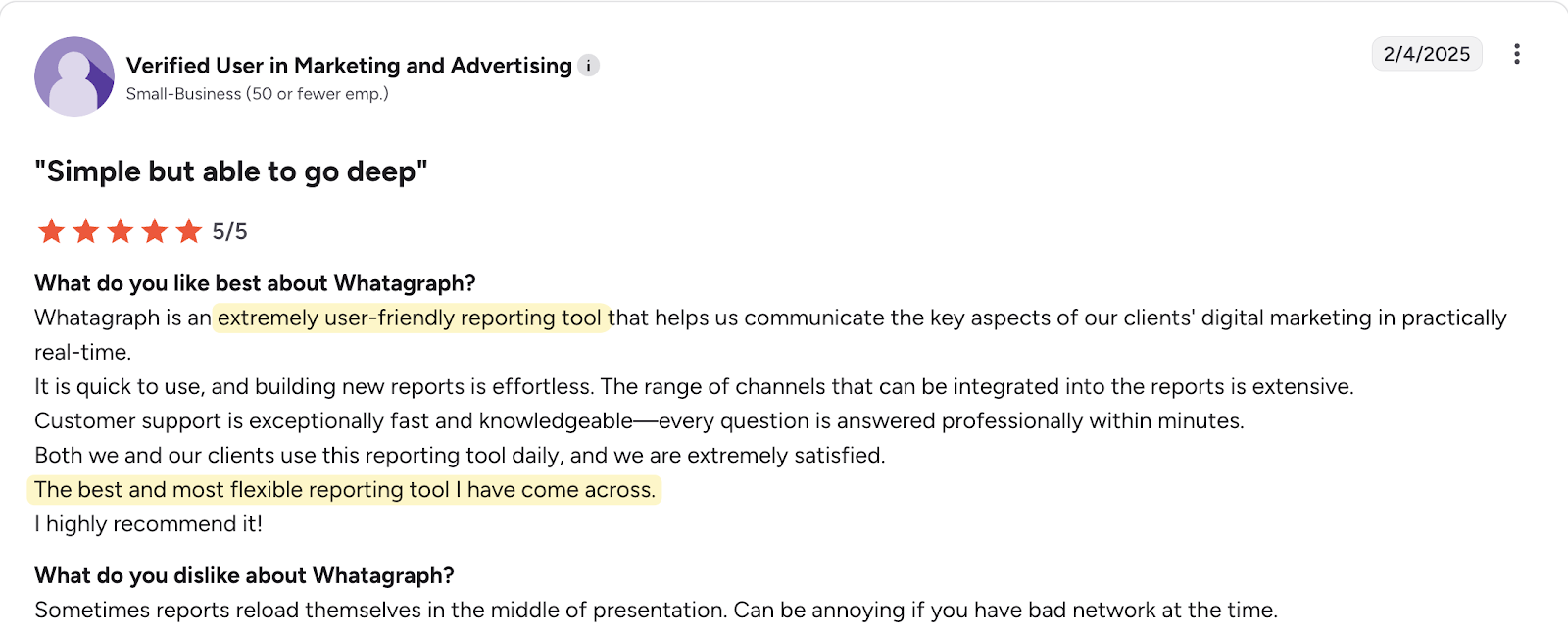
Users appreciated how the platform helped simplify data presentation. As one reviewer noted, it's "very customizable to make complex data easy to ingest for the client."
Whatagraph’s user-friendly interface also earned praise for its intuitiveness. Another user shared: "Whatagraph's drag-and-drop widgets are so simple to use, they practically make the report FOR you. And because most marketing reports are really dull, I love small touches like customizing icons for widgets!"
Responsive customer support
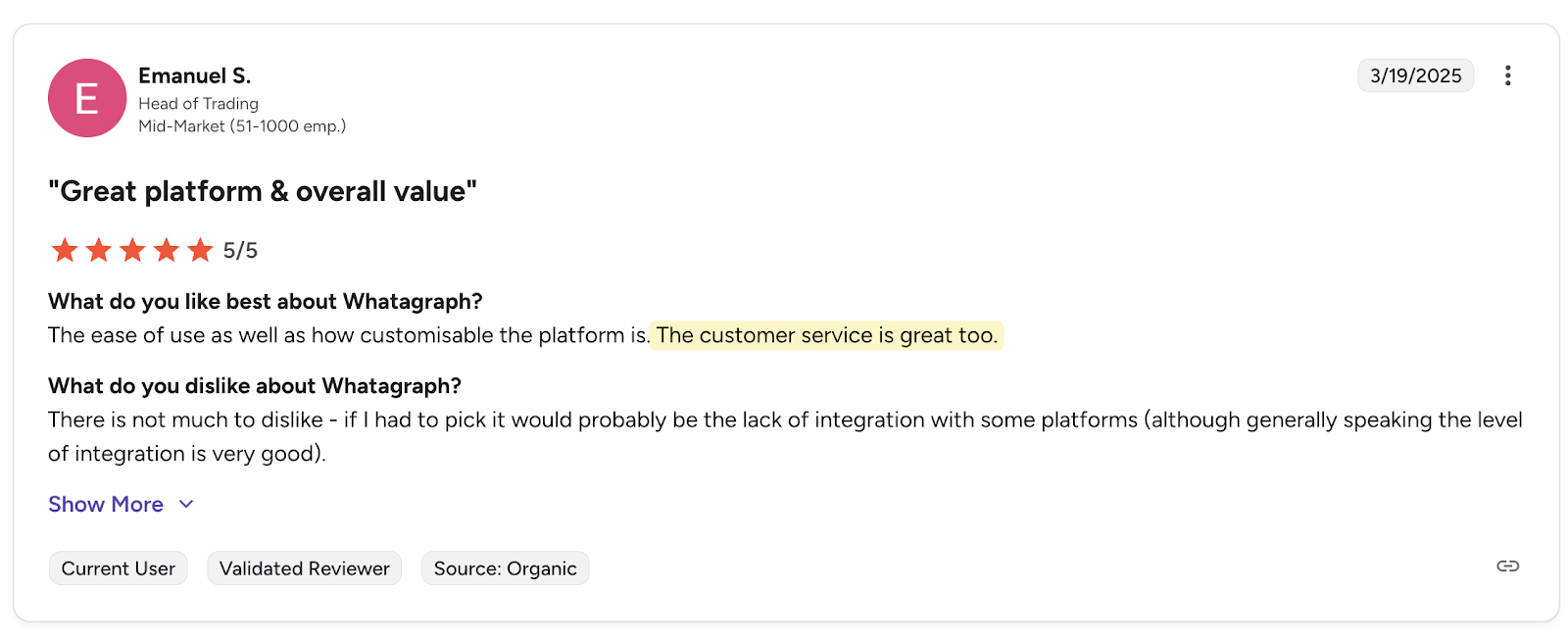
Fast and reliable customer support stood out as another strong point for Whatagraph, Content writer Brinda G reported getting a response within minutes of raising a ticket.
“The customer support team is lightning fast. And I mean, whenever I've had an issue, I can expect to have a proper conversation from within my dashboard in real time in under 3 minutes of raising a ticket.”
Whatagraph cons: Common frustrations faced by users
Steep initial learning curve
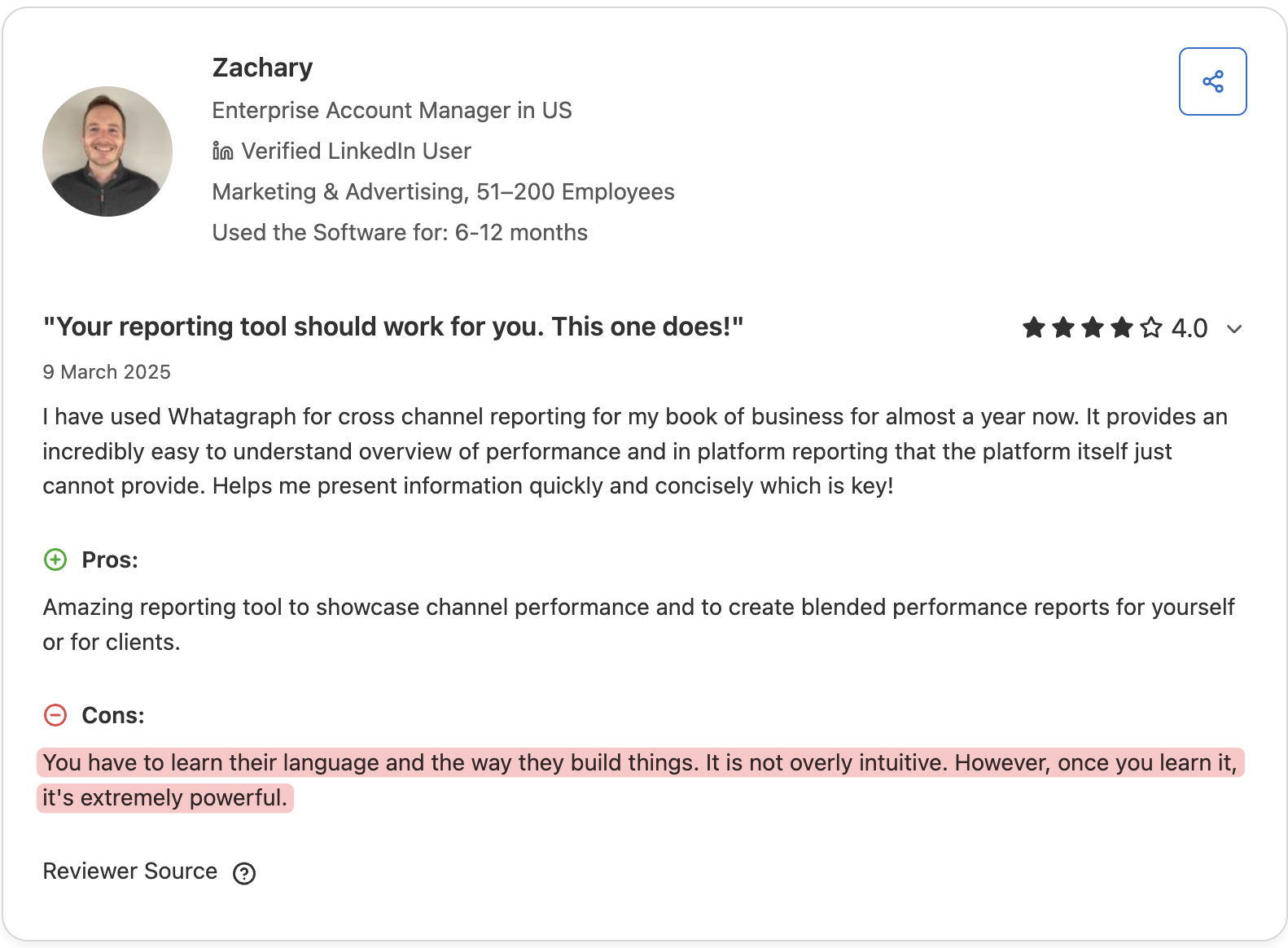
While the platform itself is intuitive, getting started requires a significant time investment. Even among their satisfied users, users note an initial learning curve in getting used to Whatagraph for their marketing reporting. As Zachary on Capterra put it: “You have to learn their language and the way they build things. It is not overly intuitive. However, once you learn it, it’s extremely powerful”.
For busy agency teams, this translates to:
- Time spent learning the tool instead of working on client projects
- Report delays when you hit technical roadblocks
This also matters because Whatagraph only includes a dedicated account manager on their Boost plan ($579/month). On lower tiers, you rely on self-service support channels, which can slow down your reporting workflow while you're still learning the tool.
Unlike Whatagraph, DashThis is built for small agency teams to get started with reporting quickly. Just three steps for your first interactive dashboard: simply connect your data sources, pick one of our 50+ dashboard templates, and customize with our drag-and-drop interface using plain-English labels.
High costs and a sharp jump between pricing tiers
Other users have flagged Whatagraph's price point as a barrier. Reviews acknowledge it's expensive for smaller agencies and solo marketers with leaner budgets.
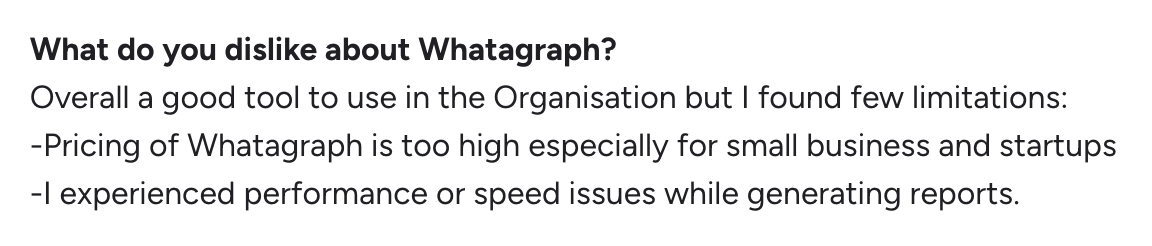
Whatagraph's source credit model has no middle ground. Hit your credit ceiling or add a client using Mailchimp or Semrush, and your bill jumps from $286 to $579/month in one step. There's no option to add credits incrementally, so the $293/month increase is the only path forward. That makes costs hard to forecast, particularly if your client mix changes or a client expands to new platforms.
DashThis’s pricing plans also include a set number of sources per tier, but your bill stays flat until you cross into the next tier. All integrations are available on every plan, so adding an email or SEO tool won't automatically move you to a higher tier. That makes costs easier to forecast as your client roster grows.
DashThis Tests: How does Whatagraph compare with DashThis for small teams?
We tested Whatagraph against the criteria that matter most to small agencies:
- Importing your data
- Building reports effectively
- Sharing insights with clients
- Getting help when needed
- Scaling usage without cost surprises
1. Data and integration coverage
Getting your client’s marketing data into your reporting platform is a core function for any marketing tool. So we’ll see how Whatagraph supports the platforms small agencies actually use day-to-day, how many integrations they offer, and what other options you have for importing your data.
- Integration coverage to access the platforms your agency uses daily across different pricing tiers
- Alternative import methods to add custom data beyond native integrations through CSV uploads or custom API access
Integration coverage
Whatagraph supports 62 integrations, plus BigQuery and custom API support, though access varies by plan. SEO tools (SEMrush, Ahrefs) and email marketing platforms (Mailchimp, Constant Contact) require the Boost plan ($579/month).
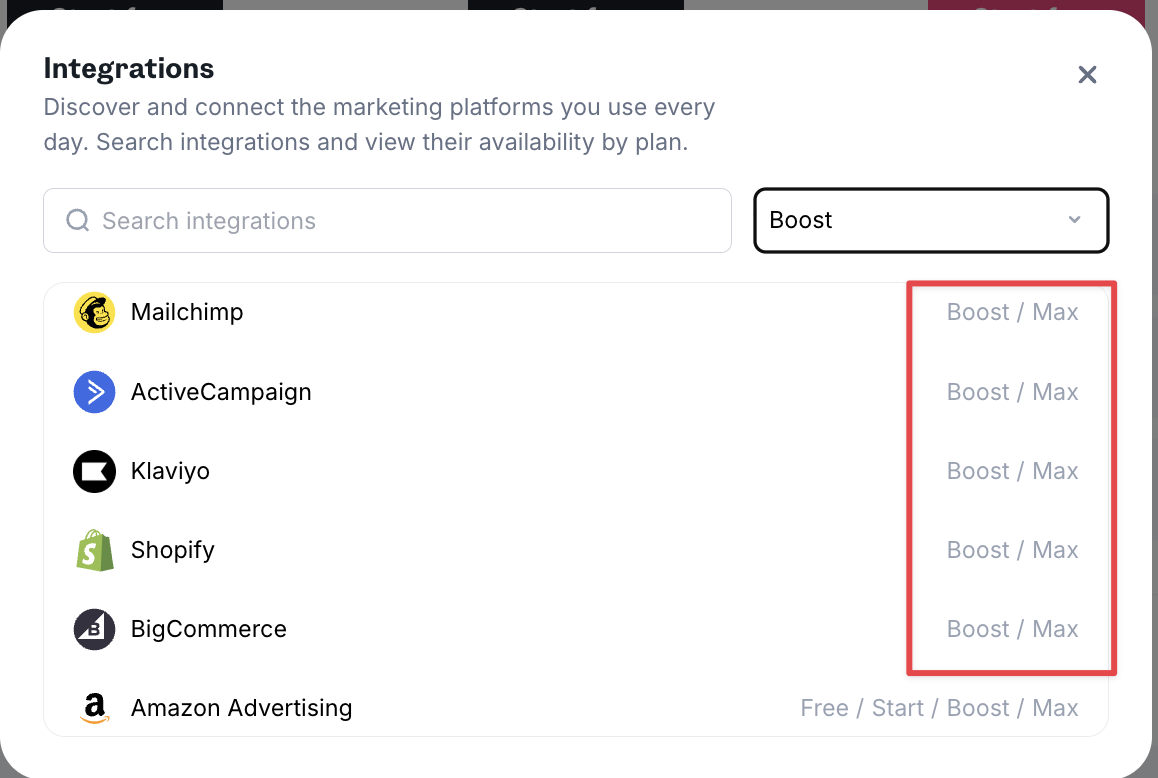
The custom API and BigQuery support mean you can connect any external data source to Whatagraph and include it in your reports, which is especially handy when you have your own internal systems, like a CRM or proprietary data you need to report on.
DashThis features fewer integrations (30+). However, they’re all available across all plans, and we cover all the essential digital marketing integrations from SEO tools to email marketing tools and PPC tools for any agency to use.
Alternative data import/export capabilities
Whatagraph offers extensive data import and export options on its Boost and Max plans: custom API access, BigQuery integration, and Looker Studio (previously Google Data Studio) data connections. These enterprise-grade features let you export large datasets for storage, advanced data analysis, or integration with business intelligence tools.
These capabilities are valuable for specific use cases, like managing data for enterprise clients or for predictive analysis.
But for most small agencies and non-technical users, you have different priorities. Get client data into professional reports quickly, share insights efficiently with clients, and move on to revenue-generating work.
That's where reporting tools like DashThis excel—giving you the essentials to create reports to help client communication without adding more complexity to your workflow or tools to manage.
2. Report building and ease of customization
How easy is it to build and customize a report? The time you take to build a report makes a difference, as small teams don’t have hours to spend learning complex interfaces or building custom dashboards from scratch.
- Speed to first dashboard for quickly creating working reports without extensive setup time
- Template availability to start with pre-built options or build from scratch based on your reporting needs
- Visual customization to control chart types, layouts, and branding options for client-ready reports
- Reporting flexibility to modify existing reports easily as client needs change
- Learning curve to understand how intuitive the builder is for non-technical users
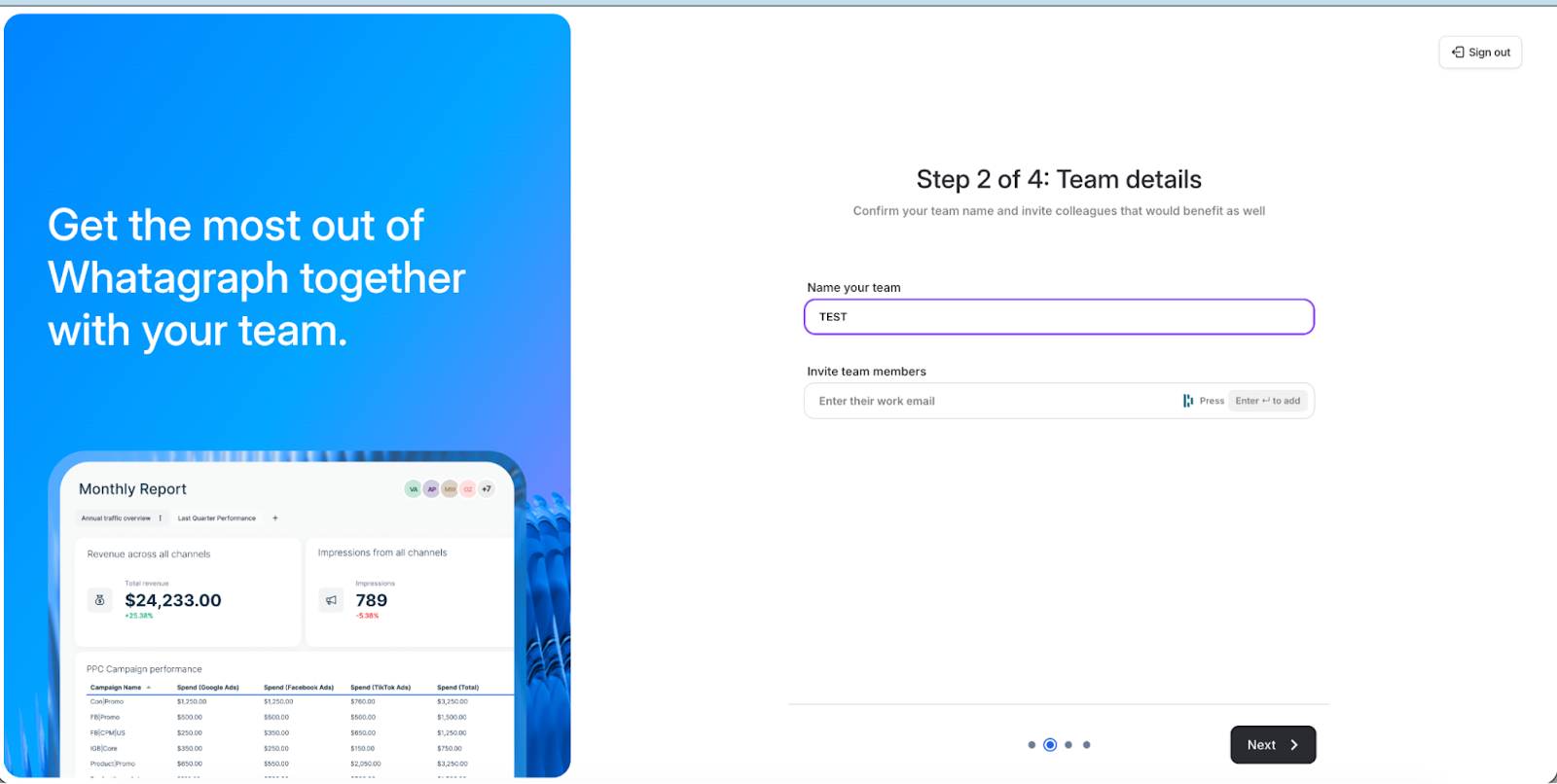
Whatagraph lets you create a free account without a credit card, and you can invite team members right away - a practical onboarding feature when you're evaluating the tool with your team.
You can use an AI prompt to create your first report after connecting data sources. This can speed up initial setup, though the output quality depends on how specific your prompt is.
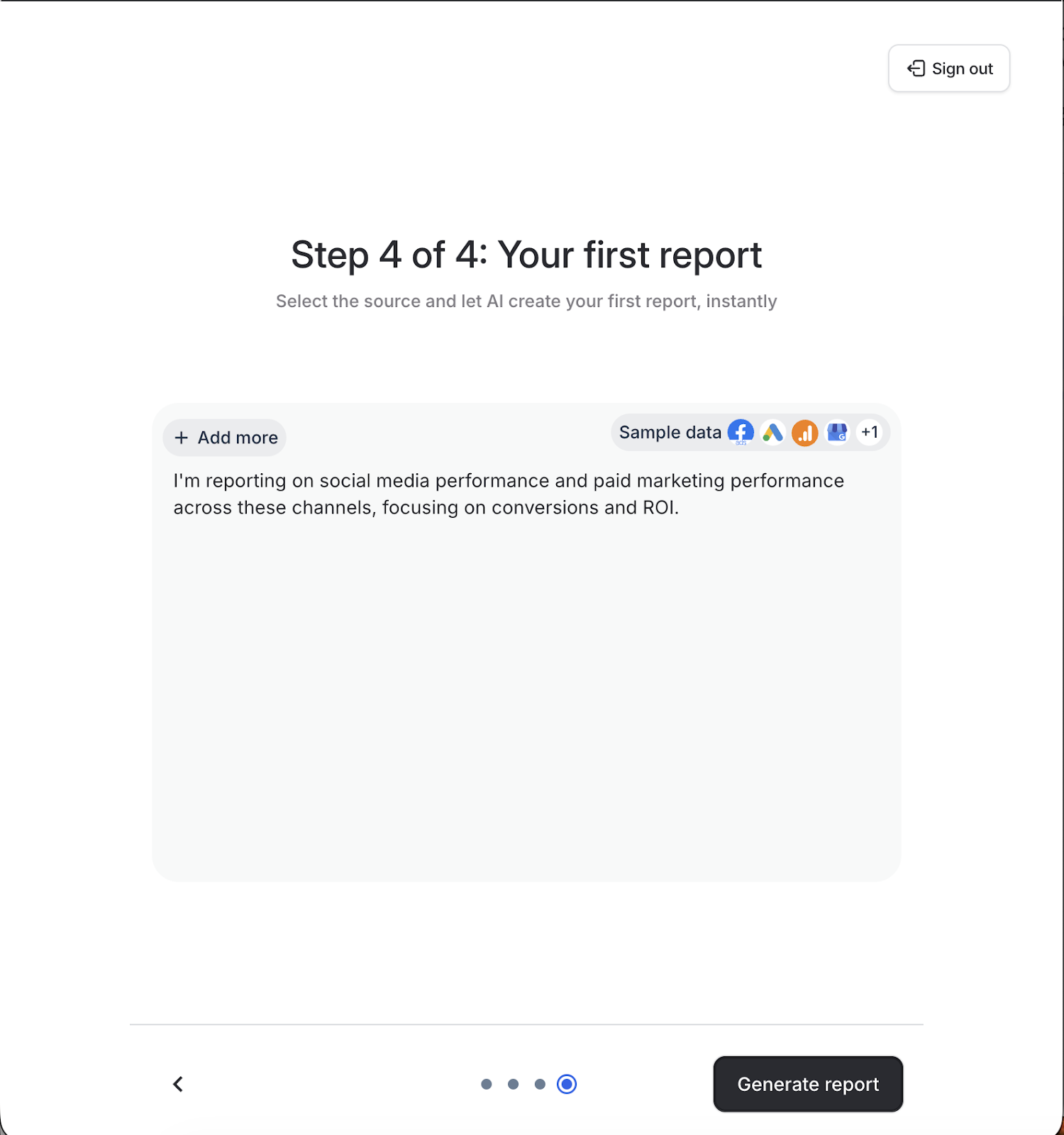
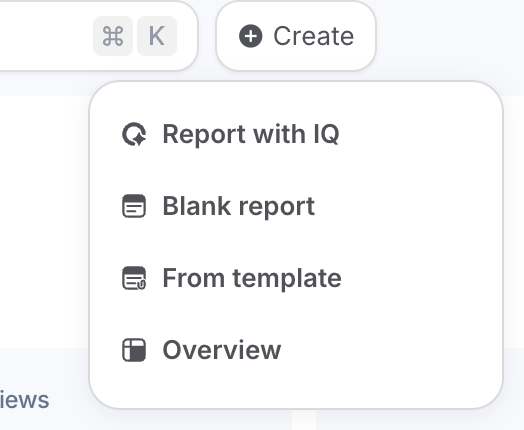
When you're ready to build, you have two quick-start options: describe what you need to their AI assistant, or pick from their report template library. Or, if you want to build your own customizable dashboard yourself, you can opt to start from scratch.
Since you'll be using this interface regularly, it's worth examining what Whatagraph delivers here. The platform auto-generates dashboard summaries that highlight achievements, flag setbacks, and offer three data-driven recommendations.
For teams who want quick insights, this automatic analysis could save time, though the quality of the insights depends on having sufficient data connected.
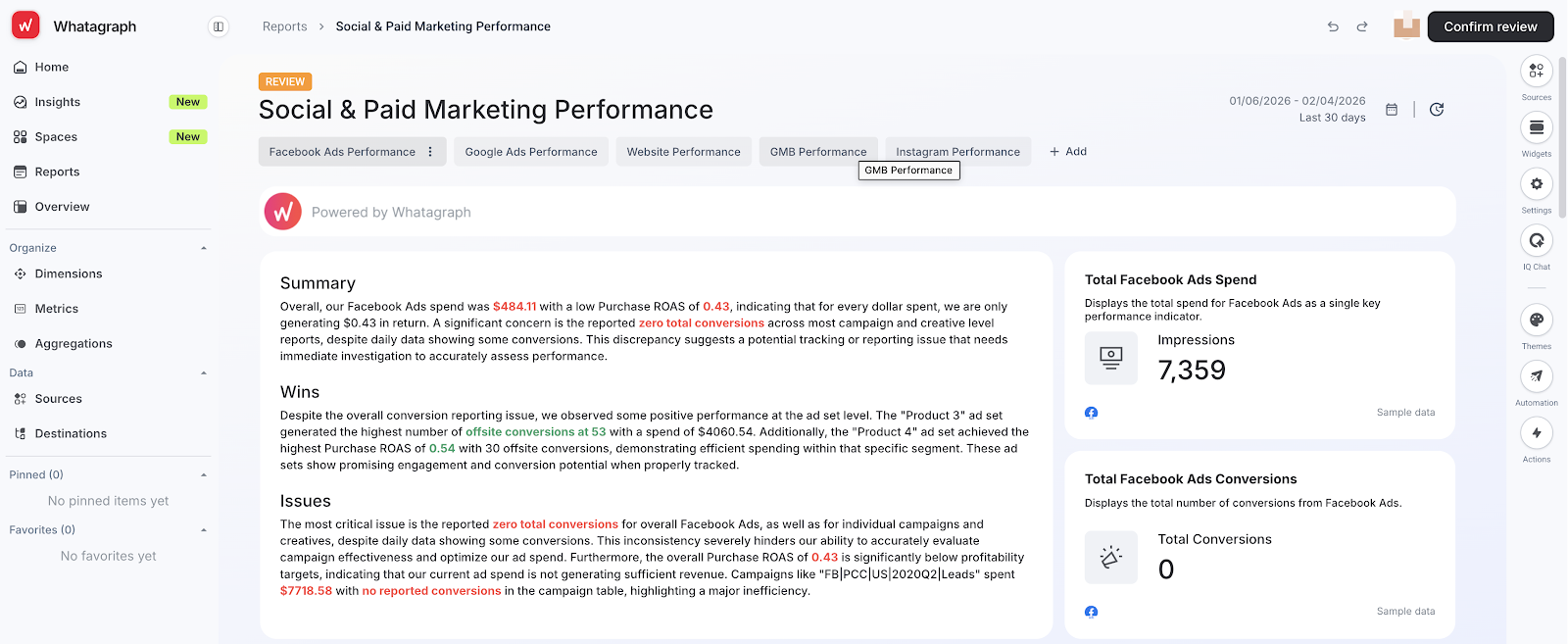
Whatagraph organizes reports with platform-specific tabs, each displaying summarized data and multi-channel KPIs. This works well for clients who manage each platform separately, though it may require more clicks to view cross-channel comparisons.
Its interface includes many customization options and controls. While this shows the platform's depth, it also contributes to the initial learning curve, which can be overwhelming for people less well-versed with reporting tools. How long you’ll need to learn the platform depends on how familiar you are with reporting tools.
How does Whatagraph fare when creating and editing widgets?
Whatagraph has a couple of options to create a new widget.
- Select pre-made widgets based on your connected data sources
- Create custom widgets from scratch
- Use saved widget templates from your team library
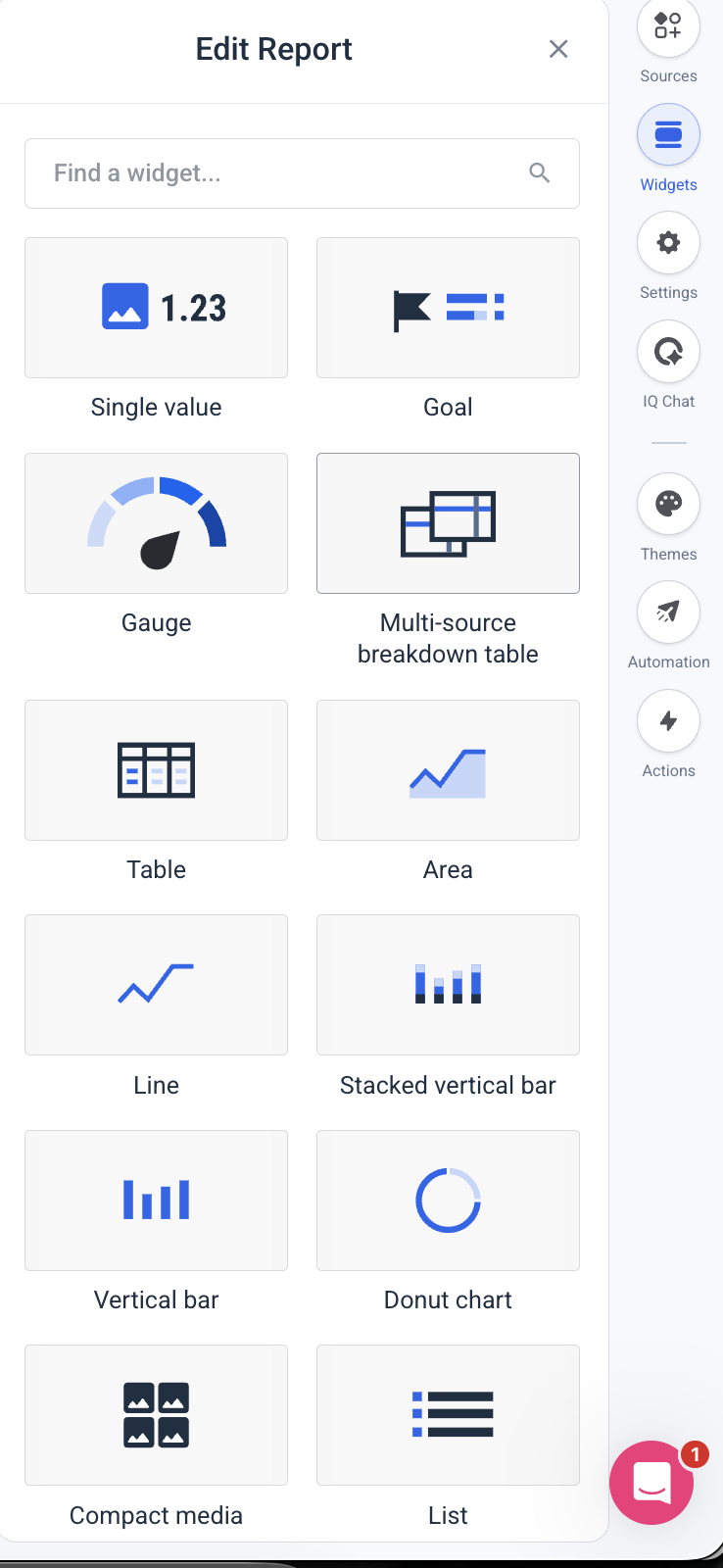
Like other reporting tools, Whatagraph also has multiple options to visualize your data.
Let's look at one of the most common widget editing tasks: resizing widgets to fit your layout in Whatagraph.
You can drag widgets to any size and the data inside reformats to fit automatically. The platform also has extensive widget customization options, with multiple widget types, AI-powered editing alongside manual controls, and icon customization—giving you both automated and granular control over every element in your dashboards, so you can work however you prefer.
Overall verdict: Whatagraph has a powerful set of customization features if you want to get granular with dashboard customization, as long as you take the time to familiarize yourself with the platform’s controls or have previous experience with marketing dashboard tools.
If you're not a technical person and just need to get professional-looking reports to your clients without spending hours learning a new tool, DashThis lets you build your first dashboard in minutes.
3. Client communication features
According to Setup's 2025 Marketing Relationship Survey, delivery value and business understanding are the top factors in lasting client partnerships. That’s why your reporting tool must make it easy to both share data clearly and add the insights that show you understand their business.
Let’s look at how Whatagraph performs in these aspects.
- Report sharing options to deliver them to stakeholders and automate scheduled reports with clients
- White-label reports and custom branding to customize your reports with your agency's look
- Insights and analysis features to add commentary and insights to your report
Like most modern marketing reporting tools, Whatagraph offers multiple methods to share your report, including PDF and CSV file export, email automation and live URL links.
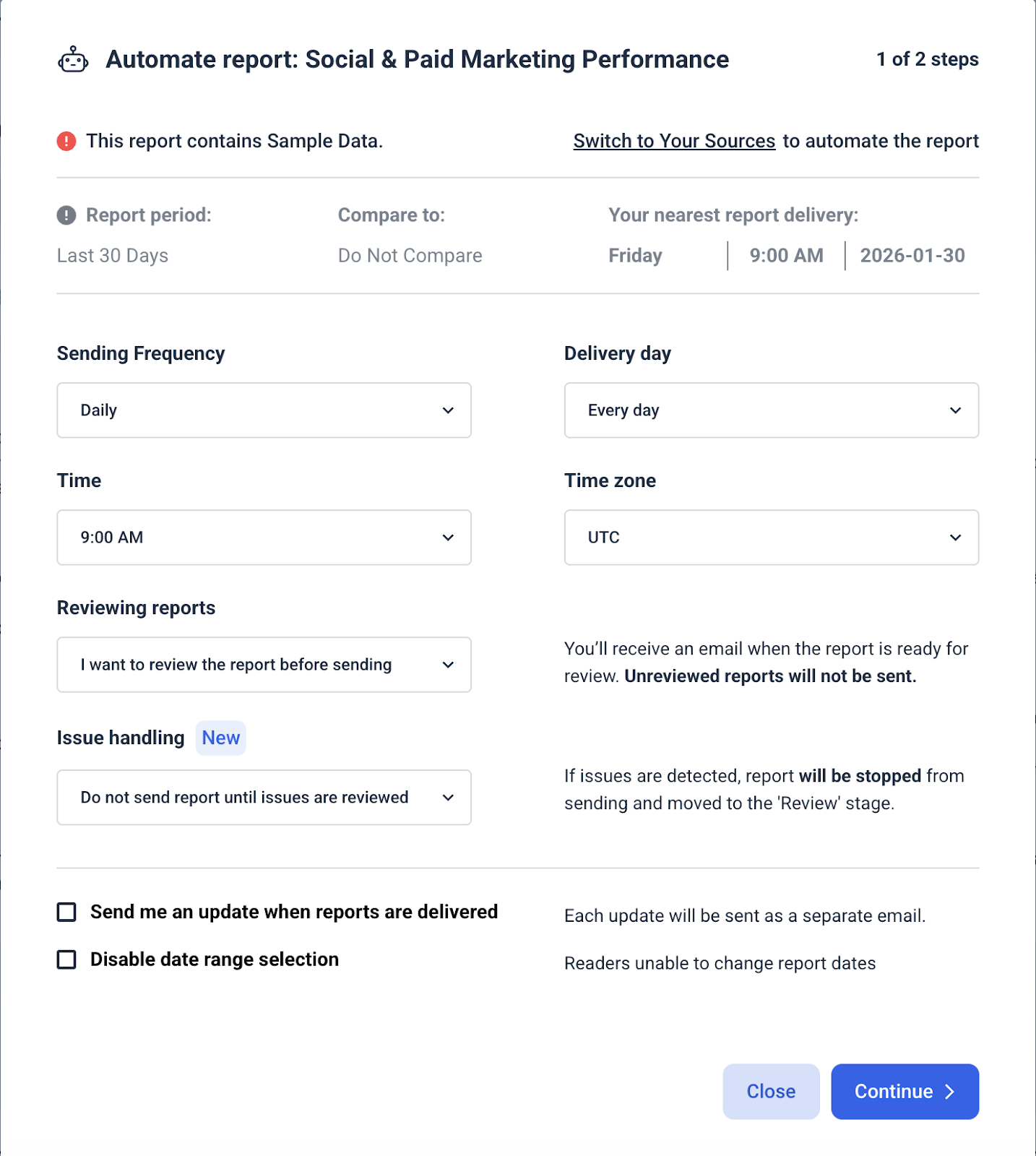
The platform includes an optional manual review step in its automation settings, which lets you approve reports before they're sent to clients.
Full white-labelled features are available on their Boost plan, otherwise you’re limited to Whatagraph’s default report themes.
AI-powered insights: Both DashThis and Whatagraph offer AI assistants to help you analyze and interact with your marketing data.Whatagraph IQ includes data summarization and conversational analysis on all plans. Their Boost and Max plans add Goals & Alerts—automated notifications when KPIs go off-track, plus more advanced features on their enterprise IQ+ tier.
Comparatively, DashThis AI Insights (available on all plans) helps you with:
- Instant data summaries
- AI-powered analysis and recommendations
- Plain-language conversational queries (available with optional AI Pro add-on)
Adding insights to your reports
Whatagraph provides two ways to add context and analysis to your reports: dedicated text widgets that can be placed anywhere in your dashboard, and widget-level descriptions that attach commentary directly to individual metrics or charts. This gives you flexibility in how you structure and present your insights to clients.
On a whole, Whatagraph performs well as a client communication tool. Like most modern marketing reporting tools, there are multiple report delivery options to help you get your reports to your clients in their preferred formats and AI features to help you with data analysis. They also offer automated alerts for specific KPIs, which helps if you have many clients to manage.
Note that custom branding, white-labelled features, and KPI alerts are only available on the Boost plan ($579/month). Factor that into your numbers before committing.
4. Customer support quality
When something breaks or you have questions, you need fast answers. Small teams can't afford to waste hours troubleshooting or waiting for support responses. Here, quality support can help you find answers quickly.
So, what's Whatagraph's customer support actually like?
- Support channels: Like most software tools, Whatagraph has support available via live chat and email. They also maintain a help centre with guides and answers to frequently asked questions. The support centre articles are well-supported, with short videos available to show how to solve a problem.
- Response time: Customer support responded to our test inquiry within 16 minutes with a relevant help centre article. Customers report similar response times, with reviewer Brinda G. getting a support response within three minutes.
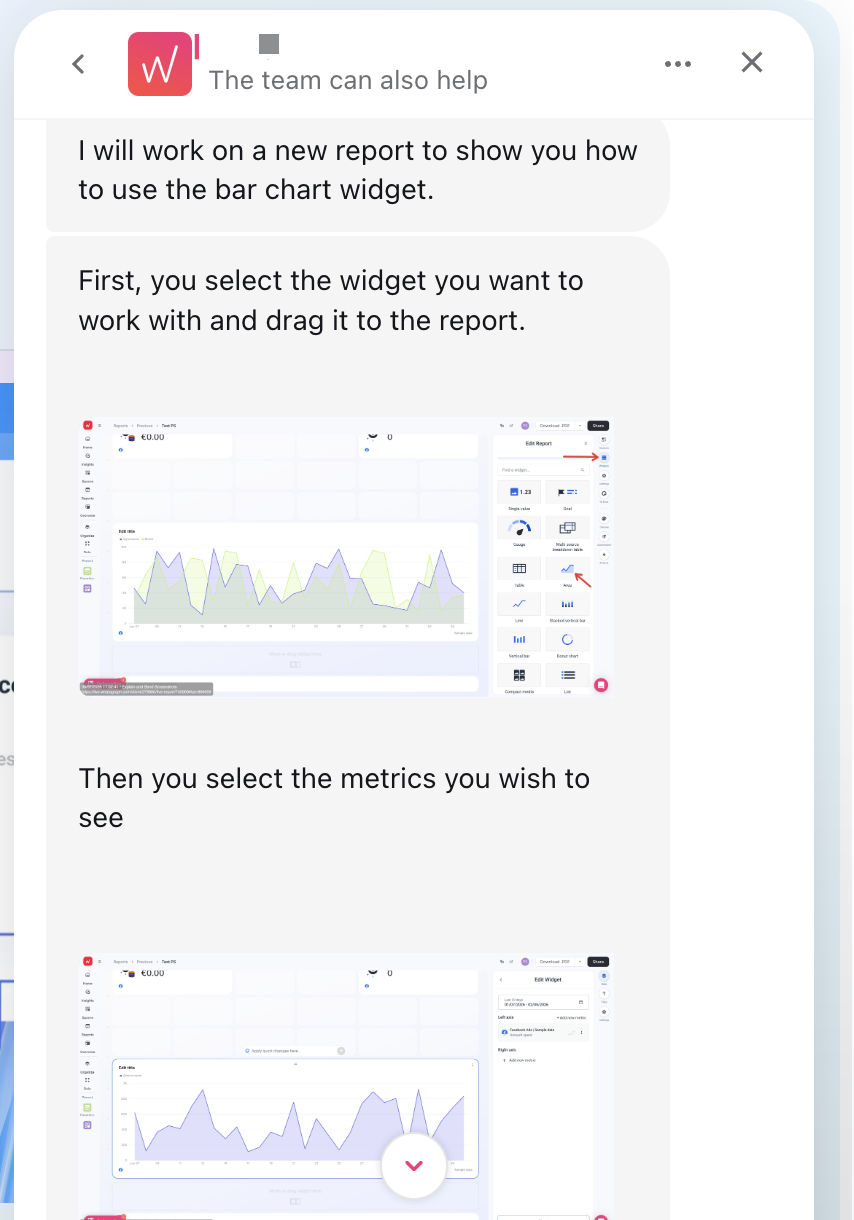
- Response quality: In our tests, we got help provided by sending us to a help article. For more technical platform-related questions, customer support also gave us step by step instructions (along with annotated screenshots) when we wanted help to accomplish a certain task.
- Dedicated account managers: Available on the Boost plan ($579/month)
Whatagraph's support team excels at providing resources and technical guidance. In our tests, they pointed us to relevant help articles for quick questions and created detailed, annotated screenshot guides for platform-specific tasks, particularly helpful if you're comfortable working independently with documentation.
DashThis takes a more consultative approach. Our support team:
- Opens your actual dashboards to understand your specific setup
- Validates questions in the context of your real data
- Provides personalized solutions via detailed procedures, Loom videos, or custom Scribe guides
- Proactively flags data inconsistencies or optimization opportunities you might have missed
If you prefer self-service resources and technical documentation, Whatagraph's support model works well. But, if you want a support team that acts more like an extension of your team, diving into your specific setup and offering proactive guidance, DashThis's approach may be a better fit.
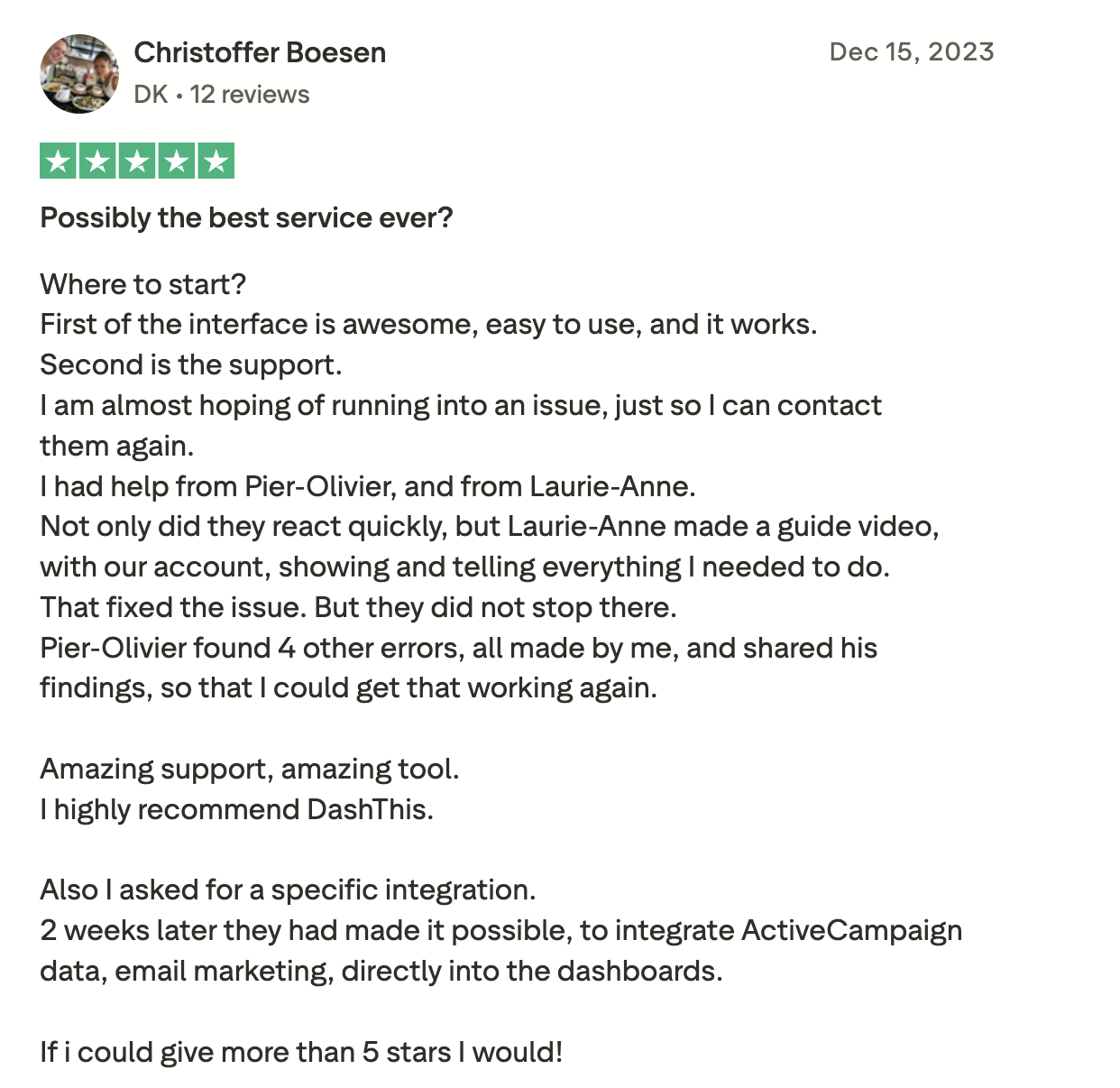
We know you shouldn't need a technical background to create professional reports. This personalized approach means you can create professional reports with no need for technical expertise. As one of our customers shared on Trustpilot:
5. Pricing and scalability
When you're running a small agency, every dollar counts. And with 63% of U.S. marketing and advertising agencies facing unpredictable cash flow according to Ignition's 2025 Agency Pricing & Cashflow Report, you can't afford surprise costs in your software stack.
Whatagraph's source credit model makes costs hard to predict. Four clients running five platforms each puts you at 20 sources, the Start plan limit. Add one new platform, and you'll need to upgrade to Boost at $579/month, a cost jump of $293/month.
If any of your clients run email marketing on Mailchimp or SEO reporting through Semrush, you're headed to Boost regardless of your source count.
Whatagraph also locks white-label features behind the Boost plan. If presenting reports under your own branding matters to your agency, that's another reason you're paying $579/month.
Here's how the two reporting tools compare at the plan levels most relevant to small agencies.
| Whatagraph Start | Whatagraph Boost | DashThis Professional | DashThis Business | |
|---|---|---|---|---|
| Monthly cost | $286 | $579 | $164 | $324 |
| Sources included | 20 | 50 | 40 | 100 |
| Dashboards included | Unlimited | Unlimited | 10 | 25 |
| SEO integrations (Semrush - Ahrefs) | Boost only | ✅ | ✅ | ✅ |
| Email integrations (Mailchimp - Klaviyo) | Boost only | ✅ | ✅ | ✅ |
| White-label | Boost only | ✅ | ✅ | ✅ |
SEO and email integrations are only available on Whatagraph's Boost plan. Pricing plan data accurate as of April 2026.
DashThis plans include a set number of sources per tier, and all integrations are available on every plan. That includes SEO tools, email marketing, and white-labelling features. Your bill stays flat until you cross into the next tier.
At $164/month on Professional, you get 40 sources and full white-labelling capabilities. At $324/month on Business, that scales to 100 sources, with your bill staying flat the whole way. When a client asks to add a platform, you want to say yes without having to check whether it'll push you into a higher pricing tier.
DashThis vs Whatagraph: Why agencies choose DashThis instead of Whatagraph
Choose Whatagraph when you're regularly creating custom cross-platform metrics or have prior experience with reporting tools. It offers extensive integrations (62+) and advanced data organizing features like cross-platform blending. These capabilities matter most when you're managing reporting across multiple clients and marketing channels.
DashThis covers the essential digital marketing integrations like Google Ads and LinkedIn that small agencies rely on, and all of them are available on every plan. If you're a smaller, budget-conscious agency that needs professional reporting without the complexity or price tag, DashThis is the better fit.
Choose DashThis if you...
- Value clear, transparent pricing
- Want a solution built for non-technical users and small marketing teams
- Want all integrations available from the entry plan, including SEO and email marketing tools
Choose Whatagraph if you...
- Regularly create cross-channel custom metrics, dimensions, or blended KPIs
- Use tools that integrate with Whatagraph that DashThis doesn’t support
- Manage 20+ clients and need enterprise-grade data handling capabilities
Frequently asked questions
Who should choose DashThis?
DashThis is designed specially for small teams and agencies that need a simple, yet powerful all-in-one reporting tool for their agencies.
Who should choose Whatagraph?
Choose Whatagraph if you need advanced data capabilities like cross-platform blending, custom metrics, or BigQuery integrations. The platform offers extensive customization and enterprise-grade features, though it requires either technical comfort with reporting tools or budget for their dedicated account manager (Boost plan at $579/month).
Which is better for small teams: Whatagraph or DashThis?
While both solutions are designed for small businesses, Whatagraph is catered towards larger teams that need a more complex feature set or actively serving 15+ clients. DashThis is designed specially for smaller teams and freelancers, and offers a simple reporting tool designed for solopreneurs and small teams - it’s both easy to start while offering the features you need to get on with your reporting so you can focus on other things in your marketing workflows.
How does Whatagraph pricing work?
Whatagraph uses a source credit model. Each plan includes a fixed number of credits, and each connected data account uses one credit. The Free plan gives you 5 credits, the Start plan gives 20, and the Boost plan gives 50. If you exceed your plan's credit limit, you'll need to upgrade to the next tier — there's no option to purchase extra credits between plans.
Does Whatagraph offer a free trial?
Whatagraph doesn't offer a free trial for its paid plans. It has a free plan with a 5 source credit limit you can use to test the platform. DashThis offers a 14-day free trial with full access, no credit card required.
Is DashThis more affordable than Whatagraph?
For small agencies, DashThis has more value for money. DashThis plans start from $54/month and include a set number of dashboards and sources with all integrations on every tier. Whatagraph's paid plans start from $286/month. The cost gap widens significantly when you need white-labelling or SEO and email integrations, which Whatagraph locks behind its Boost plan at $579/month.
Does DashThis lock integrations behind higher plans?
No. Every DashThis integration is available on every plan tier, including SEO, email marketing, social media reporting and PPC tools.
Ready to streamline your marketing reporting with DashThis?
It’s time to stop relying on manual work like copying your data from multiple sources into cumbersome spreadsheets and Google Sheets. DashThis is built for marketers, not data scientists. You get what you need to pull your data together without the overwhelm, so reporting actually helps you talk to clients instead of eating up your time.
Try DashThis free for 14-days and build custom reports your clients love today.
