What is a Google Ads MCP?
MCP stands for Model Context Protocol. It’s an open standard that lets an AI assistant call an external tool and read real data from it, instead of guessing from whatever it learned during training.
A Google Ads MCP integration applies that standard to your ad accounts. Once it’s connected, your assistant can query campaign performance, budgets, keyword-level metrics, and account structure on demand. You ask “which campaigns lost impression share last week?” and the model runs an actual query against the Google Ads API rather than inventing a plausible-sounding answer.
Three things worth knowing before you set one up:
- MCP is a pipe, not a product. It moves data. Everything you do with that data still depends on what’s on the other end of the pipe.
- Most MCP servers today are read-only. That’s a feature, not a gap, when you’re reporting.
- One MCP equals one data source. Google Ads MCP gives you Google Ads. Nothing else.
That third point is the one that catches PPC teams off guard, and we’ll come back to it.
Why PPC specialists are connecting Google Ads to their AI assistant
The appeal isn’t novelty. It’s the twenty minutes you currently spend building a pivot table before you can answer a question that takes ten seconds to ask.
Here’s what changes in practice:
- No more export-then-analyze. Ask about search terms, device splits, or day-parting and get the numbers back in the conversation.
- Faster diagnosis. “CPA is up 40% in the branded campaign. What moved?” Your assistant can check impression share, CPC, conversion rate, and budget pacing in sequence, the way you would.
- Cross-account sweeps. With multi-account access, “which of my accounts are underspending this month?” becomes one prompt instead of fifteen tabs.
- Draft-ready output. The model already writes well. Feed it real numbers and the client email drafts itself.
- Google Ads reporting automation without a script. No Apps Script, no BigQuery job, no Python notebook to maintain.
The catch, and it’s a real one: an AI assistant is only as trustworthy as the data it’s holding. An assistant that calculates blended ROAS on the fly will get a slightly different answer every time you ask. That’s fine for exploration. It’s not fine for something you send a client.
Option 1: The official Google Ads API MCP server
In late 2025, Google released an open-source Google Ads API MCP server. It’s the most direct way to connect Google Ads to MCP, and it’s free.
What it exposes: three tools, essentially.
What it’s genuinely good at: ad-hoc analysis. Anything you’d normally write a GAQL query for, you can now ask for in English. Keyword-level diagnostics, quality score checks, negative keyword gaps, geographic breakdowns. If you know Google Ads well, this is a real speed increase.
What it deliberately doesn’t do: the initial release is read-only. It reports and diagnoses. It won’t pause a campaign, change a bid, or create an asset. For reporting work, read-only is exactly what you want.
How to integrate Google Ads with MCP: step by step
This is a developer tool, so budget an hour the first time.
Step 1. Get Google Ads API access. You need a developer token from your Google Ads manager account, at Explorer, Basic, or Standard access level. Request it under Tools → API Center. Explorer access works for test accounts; you’ll need Basic to query production data.
Step 2. Set up a Google Cloud project. Create a project, enable the Google Ads API, then create OAuth 2.0 credentials (client ID and secret) or use application default credentials.
Step 3. Install the server. You’ll need Python and pipx. Add the server to your MCP host config:
{
"mcpServers": {
"google-ads-mcp": {
"command": "pipx",
"args": ["run", "--spec", "git+https://github.com/googleads/google-ads-mcp.git", "google-ads-mcp"],
"env": { "GOOGLE_PROJECT_ID": "YOUR_PROJECT_ID" }
}
}
}
If you’d rather not run it locally, deploy it to Cloud Run and point your client at the hosted URL instead.
Step 4. Authorize and test. Restart your AI client, complete the OAuth flow, then ask: “What Google Ads accounts do I have access to?” If you get a list of customer IDs back, you’re connected. Follow up with “How did my campaigns perform last week?”
If you’d rather skip the setup: several hosted Google Ads MCP servers now exist that handle OAuth for you and connect in a few clicks. They’re faster to start with, but you’re handing a third party access to your ad accounts, so check their data handling before you connect a client’s account.
What a native Google Ads MCP can’t do
This is the part most guides skip, and it’s the part that decides whether MCP actually saves you time.
A native Google Ads MCP integration is built for developers querying an ad account. It isn’t built for reporting to clients. Five specific gaps:
1. It doesn’t know what a “client” is. Google Ads has customer IDs. Your business has clients. If a client runs three accounts across two countries, that grouping lives in your head, not in the API. Every prompt has to re-establish it, and the model has no way to check that it got it right.
2. It only sees Google Ads. Nobody reports on Google Ads in isolation. The story is almost always “paid search drove the leads, but the landing page converted worse than last month, and Meta picked up the branded traffic.” That answer needs GA4 and Meta Ads in the same conversation. One MCP per platform means another connection, another auth flow, and another set of quirks for each one.
3. It doesn’t store history. The API only serves what Google still keeps. Ask for a 24-month CPA trend on a metric that’s been redefined since, and you’ll get gaps. Your own reporting history is an asset, and a native MCP has no access to it.
4. Your custom metrics don’t exist. Blended ROAS, cost per qualified lead, your client’s specific goal thresholds. If those live in a spreadsheet formula, the model recalculates them from scratch every time, and small differences compound. Two prompts, two numbers, one awkward client call.
5. Nothing gets delivered. A chat answer disappears when you close the tab. Your client still expects a branded report on the 3rd of the month. MCP doesn’t send it.
None of this makes the native MCP bad. It makes it a research tool. Reporting is a different job.
Option 2: Google Ads reporting MCP through DashThis
This is where an aggregator changes the shape of the problem.
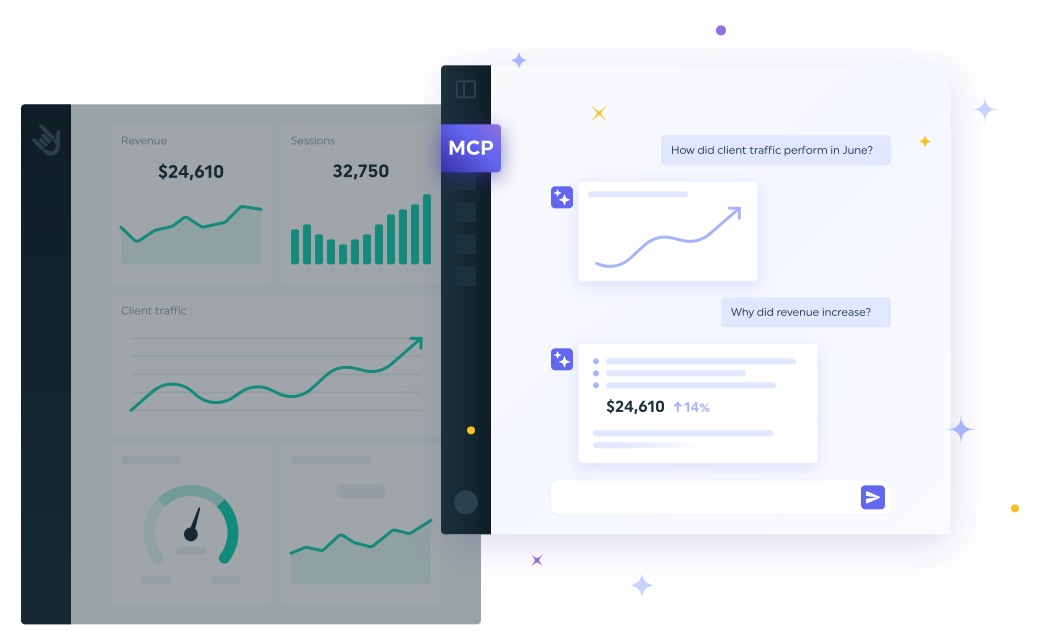
DashThis already pulls your Google Ads data, cleans it, applies your custom calculations, groups it by client, and delivers a branded report on a schedule. The DashThis MCP connector points your AI assistant at that same layer.
The practical difference: your assistant works with the exact numbers your client sees in their report. Not a fresh calculation, not an approximation. The figure in the dashboard is the figure in the answer.
What that unlocks for a paid search manager:
- Every client, one connection. All your accounts, already grouped by client and isolated from each other. No separate auth per platform, per account.
- Google Ads next to everything else. 34+ data sources in the same conversation, so “why did leads drop?” can actually be answered across paid search, organic, and social.
- Your calculations, defined once. Your ROAS formula, your cost per qualified lead, your client’s goals, used consistently every time.
- Your full history. Including metrics the platforms themselves no longer expose.
- Automated Google Ads reporting that keeps running. Dashboards refresh and reports go out on schedule whether or not you open a chat window.
How to connect it (about a minute)
- Open Claude and go to Customize → Connectors.
- Search for DashThis and click Connect.
- Sign in to your DashThis account and authorize. Access is read-only.
- Ask: “Give me a snapshot of all my Google Ads clients this month.”
Using ChatGPT instead? Same idea, slightly different menu. Full walkthroughs: what an MCP connector is, connecting in Claude, and connecting in ChatGPT.
→ See how the DashThis MCP connector works
Google Ads MCP vs Google Ads reporting MCP: which do you need?
The honest answer: they’re not competitors. Keep the native MCP for the questions only the ad platform can answer, like search term mining and auction insights. Use a reporting MCP for anything a client is going to read.
Prompts worth trying once you’re connected
For campaign diagnostics (native MCP):
- “Which campaigns lost the most impression share to budget last week?”
- “Show me search terms above 20 clicks with zero conversions in the last 30 days.”
- “Compare CPC by device for my top three campaigns, month over month.”
For client reporting (reporting MCP):
- “Draft my monthly client email from this Google Ads dashboard.”
- “Give me five bullets before my client call on the paid search account.”
- “Explain to my client why cost per lead went up this month, in plain language.”
- “Across all my clients, which paid search accounts need attention this week?”
- “What should we highlight in the quarterly review?”
That last group is the reason to bother with any of this. Your job isn’t to find the insight, it’s to prove your value to the person paying for the ads.
FAQ
Bring your Google Ads reports into the conversation
A Google Ads MCP integration is a genuine upgrade to how you interrogate an ad account. It just isn’t a reporting system, because your clients don’t buy Google Ads performance in isolation. They buy results, and results live across channels.
That’s the gap DashThis fills. Your Google Ads data, cleaned and calculated alongside 34+ other sources, grouped by client, delivered on schedule, and now readable by the AI assistant you already work in.
Try DashThis free for 14 days. Ten dashboards, all integrations included, and your Google Ads dashboard is live in a few clicks.
Keep reading