8 LinkedIn Analytics Tools in 2026 (What Each is Best For)
TL;DR: No single LinkedIn analytics tool fits every use case. Fibbler suits ABM ad attribution; DashThis serves agencies reporting across multiple channels; Brand24 and Brandwatch cover brand monitoring; native LinkedIn Page Analytics offers free, basic tracking; Sprout Social fits large teams tying engagement to revenue; and Taplio and AuthoredUp target solo creators, focused on social selling and long-form writing respectively. Prioritize tools with strong historical data, integrations, and customizable reporting.
Some of the top LinkedIn analytics tools in 2026 include:
| LinkedIn Analytics tool | Free trial | Annual pricing | Best for |
|---|---|---|---|
| Fibbler | 30 days | Starts at $80/mth | LinkedIn Ads attribution for ABM programs |
| DashThis | 14 days | Starts at $44/mth | Digital marketing agencies with LinkedIn and multi-platform services |
| Brand24 | 14 days | Starts at $199/mth | Brand monitoring for SEO and AI visibility |
| Brandwatch | N.A. | Custom quote | Crisis and reputation management for global B2B brands |
| LinkedIn Page Analytics | Free plan | Starts at $69.99/mth for each license | Native LinkedIn tracking or basic analytics |
| Sprout Social | 30 days | Starts at $79/mth for each seat | Social listening for large-scale social operations |
| Taplio | 7 days | Starts at $32/mth | LinkedIn corporate influencers and employee advocacy programs |
| AuthoredUp | 14 days | Starts at $16.63/mth | Long-form LinkedIn ghostwriters and solo creators |
In most cases, you need a combination of content, engagement, and outreach for LinkedIn to work as a conversion channel — and the right LinkedIn Analytics reporting tool pinpoints what moves followers down the funnel.
Today, we explore what each LinkedIn Analytics tool is best for and help you make the right choice.
1. LinkedIn Ads attribution for ABM programs: Fibbler
Pricing: 30-day free trial with paid plans from $80/month on annual subscription.
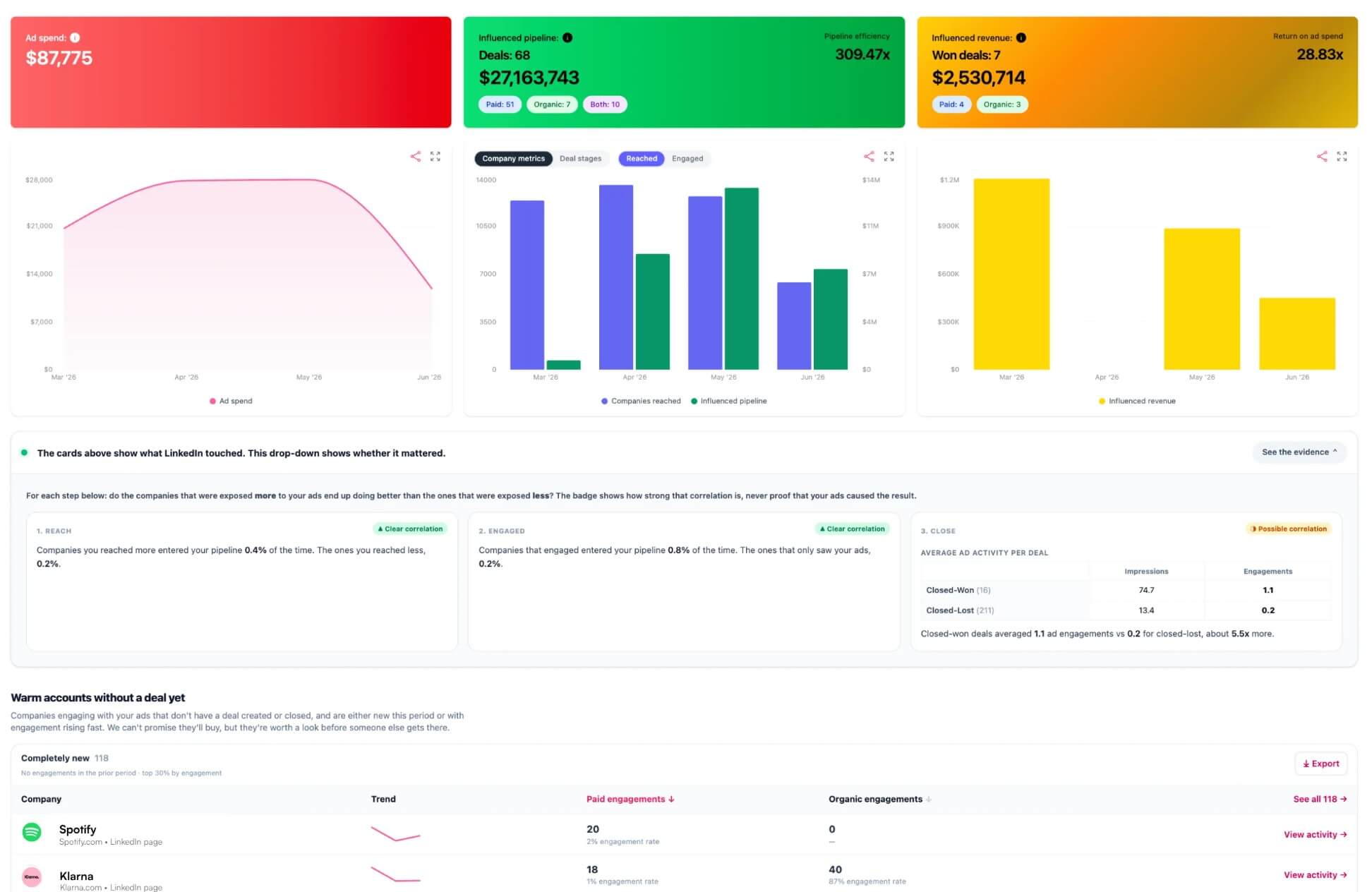
Fibbler maps your LinkedIn Ads engagement directly to your CRM deals.
Instantly, you see every LinkedIn activity (including organic content) leading to deal creation and closure. This makes it ideal if you want to gain clarity on a LinkedIn ABM program or full-funnel strategy targeting multiple audiences on ongoing paid campaigns.
Fibbler also syncs LinkedIn Ads data into your favorite CRM. As a single source of truth, marketers can gauge influence on deals while BDRs see which buyer accounts are warming up.
Top features:
- Customer Journeys: View a complete timeline of how a buyer account moves from first touch to closed-won. You can clearly see individual LinkedIn activities influencing specific deals as they progress.
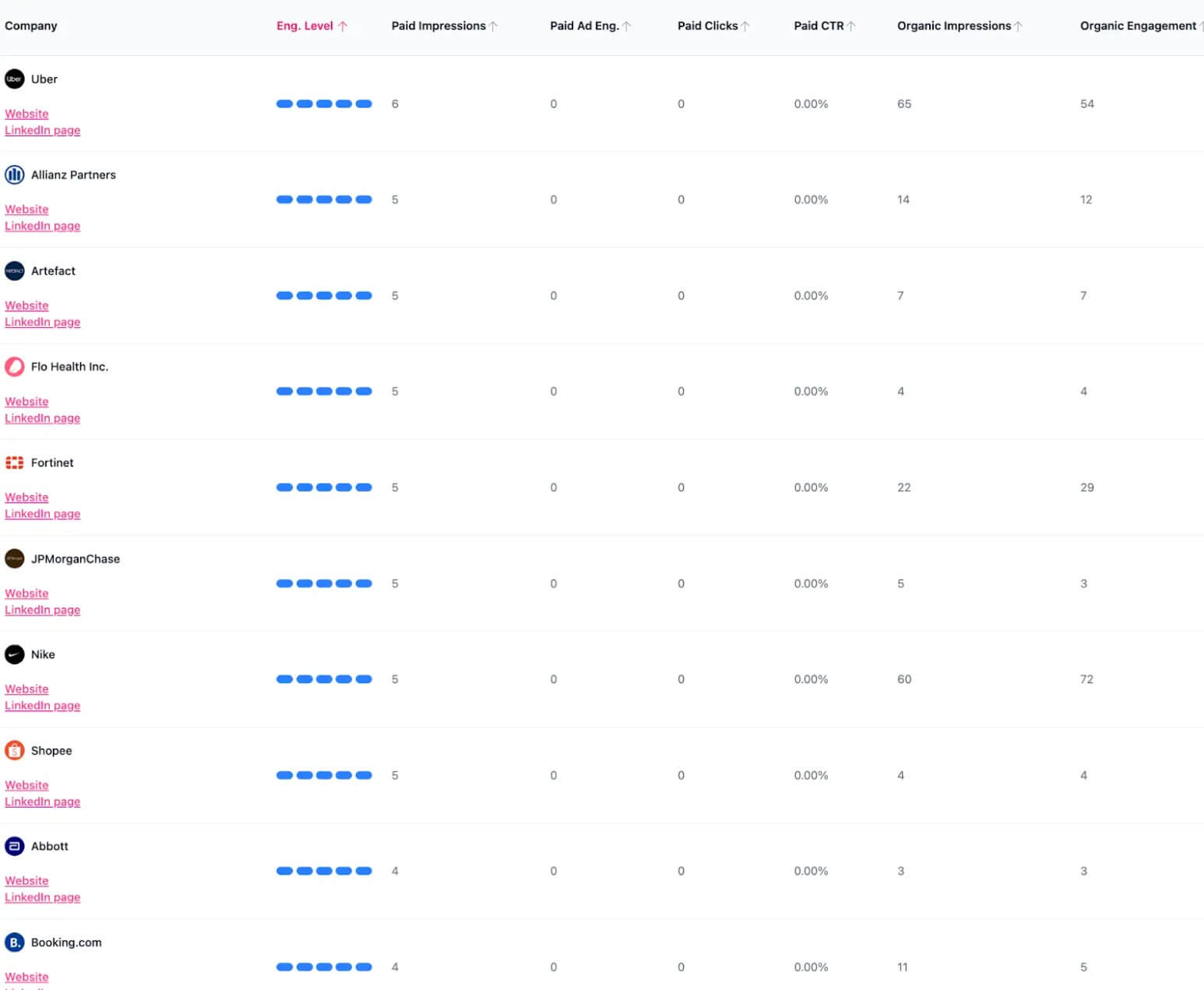
- CRM Sync: Pull your LinkedIn Ads and content directly into HubSpot, Pipedrive, Salesforce, or Attio at the company level. Fibbler turns engagement into intent signals, identifies highly engaged companies, and notifies sales when it’s time to reach out.
- Quick setup that runs ads instantly.
- Clean and vibrant UX.
- Excludes irrelevant titles and companies in one click.
- Unlimited customer journeys, audience exclusions, company insights, and campaign analytics on all plans.
Attribution window is capped at 90 days — you risk missing earlier touchpoints in longer buying journeys.
Who it’s best for:
Paid ad agencies or in-house revenue marketers who need to prove to leadership how LinkedIn Ads engagement impacts pipeline growth. Choose Fibbler if you want to track which buyer accounts engage with your ads, connect them to your CRM, and auto-alert sales to reach out — in one place.
2. Digital marketing agencies with LinkedIn and multi-platform services: DashThis
Pricing: 14-day free trial with paid plans from $44/month on annual subscription.
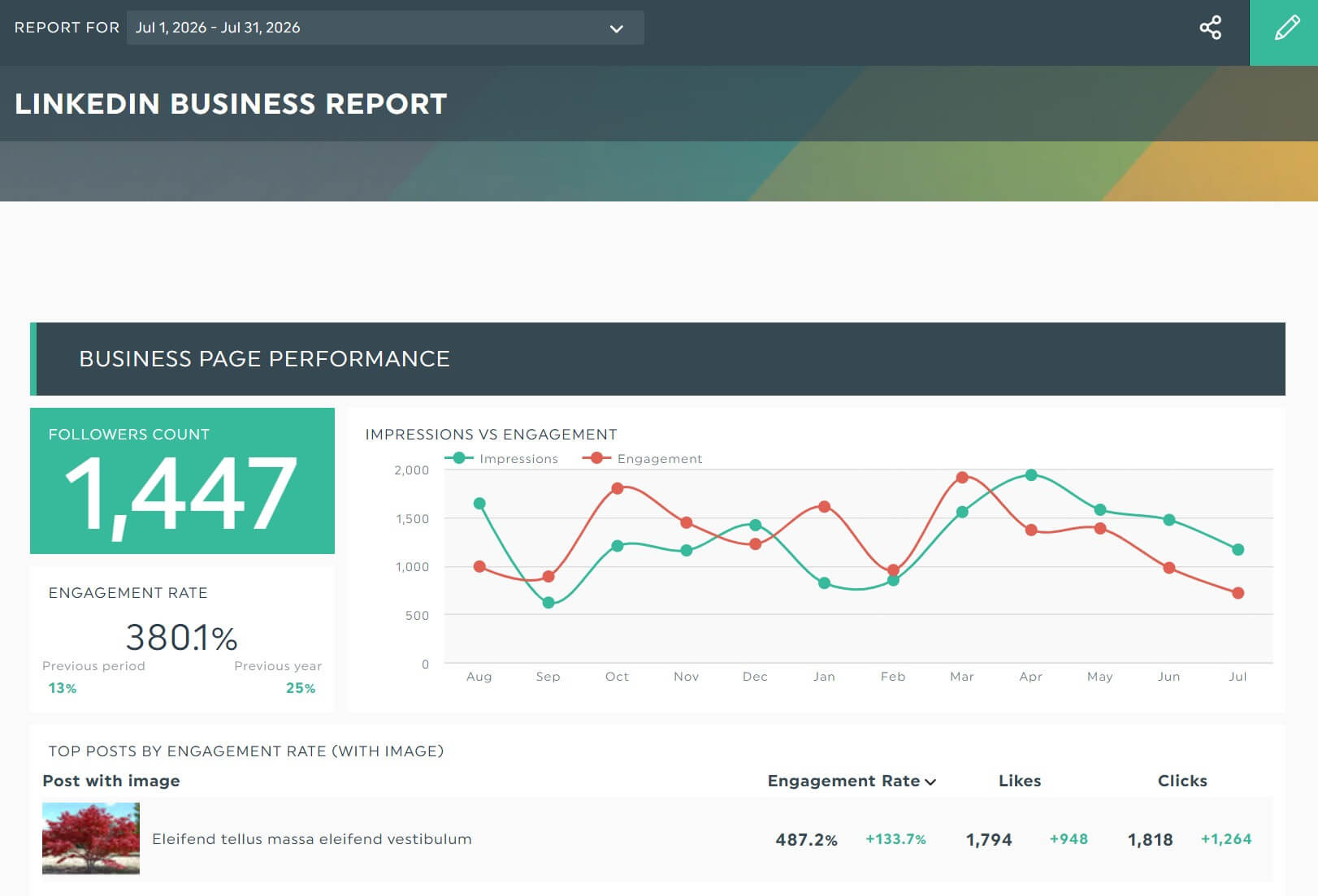
DashThis gathers all your LinkedIn pages, ads, and organic data into one client-ready dashboard automatically.
The LinkedIn reporting tool turns your fresh data into visually striking charts and graphs. Since DashThis also natively connects with 30+ marketing platforms — Google Ads, Facebook Ads, Ahrefs, you name it — you can easily analyze the overall campaign performance in one place.
This makes DashThis a smart choice for marketing agencies that want to cut down on manual multichannel reporting and create beautiful reports in the blink of an eye.
Top features:
- Multi-integration dashboard: Create a standalone LinkedIn dashboard, or combine it with other channels in one report. You can also blend data from different sources into one — combine costs from Google Ads and LinkedIn Ads, show overall follower growth across Instagram and TikTok — to get a cross-platform view of your social campaigns.
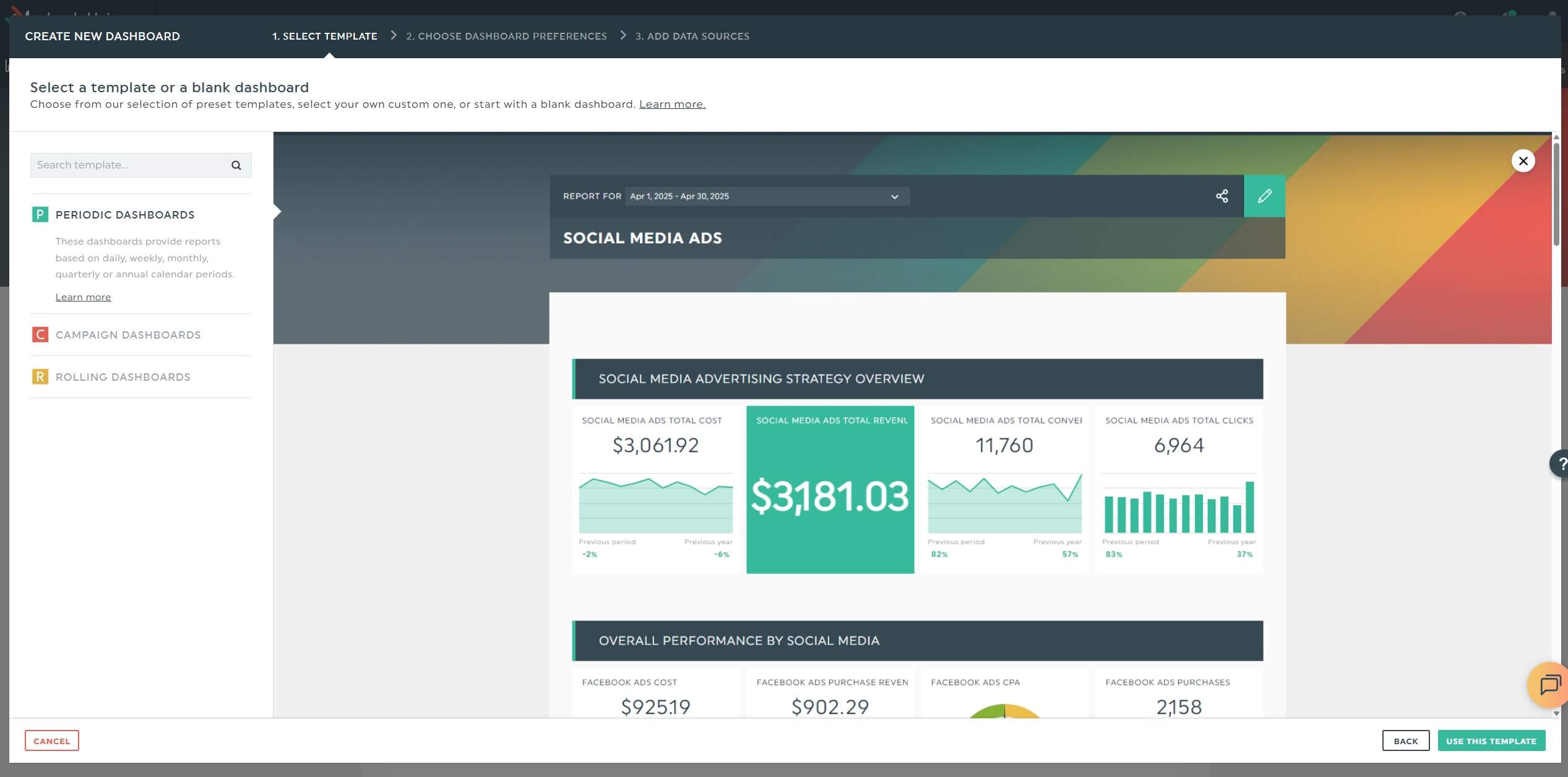
- Automatic email dispatch: Automate your LinkedIn analytics report with a PDF copy right in the email on your preferred schedule. Alternatively, send a shareable link. Your dashboard updates automatically with fresh data.
- Built-in comments and notes: Easily add a note next to any KPI or metric to provide additional context. Or insert a text box at the top to summarize audience insights about follower demographics and buying habits.
- Unlimited users and integrations on all plans.
- Polished templates with pre-filled metrics like total followers, post impressions, page views, and click-through rates.
- CSV file manager that imports custom data. For example, upload your raw data from Hootsuite or Buffer in CSV format, and DashThis automatically turns it into an eye-catching report.
- AI Insights analyzes your LinkedIn performance and answers your questions directly inside your dashboard.
- Missing LinkedIn Profiles (note: this feature is in the works. We estimate launching it in Fall 2026).
- Subscription increases quickly if you require more dashboards.
Who it’s best for:
Performance marketing agencies or in-house marketers who want to translate their LinkedIn engagement data into compelling visuals and drive action. Choose DashThis if you want to see which paid or organic activities impact growth or measure LinkedIn in a multi-channel marketing campaign in one dashboard.
3. Brand monitoring for SEO and AI visibility: Brand24
Pricing: 14-day free trial with paid plans from $199/month on annual subscription.
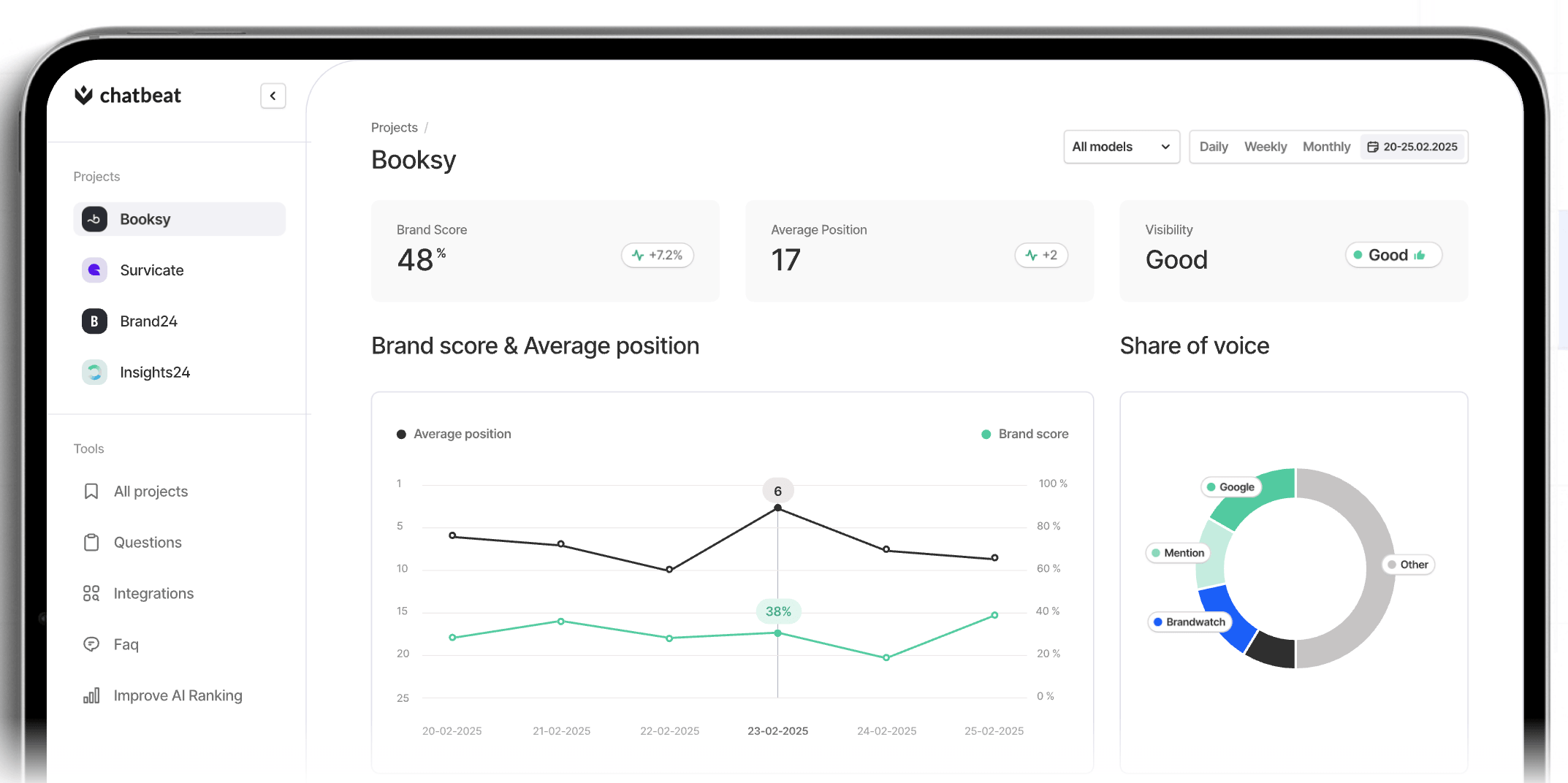
Brand24 detects your brand mentions on AI search systems, maintaining a consistent narrative across the customer journey.
Beyond traditional monitoring — podcasts, blogs, videos, and social channels like LinkedIn — Brand24 tracks your AI visibility against sources and competitors, thanks to a native integration with Chatbeat, its sister company.
LinkedIn is the second most cited sources in AI search, so Brand24 is a comprehensive monitoring setup for marketers using the professional network to drive AEO visibility without extensive configuration.
Top features:
- AI Mentions Monitoring: Track how your brand is perceived by generative AI models, including Claude, ChatGPT, Gemini, and Perplexity. Brand24 analyzes your brand sentiment and presence score using metrics like median position and visibility rating.
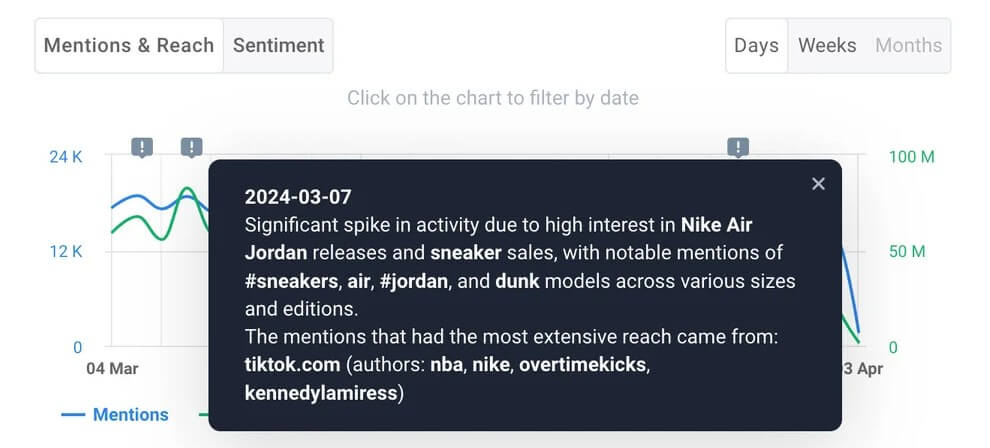
- AI Events Detector: Brand24 automatically interprets unusual spikes in your brand mentions volume or sentiment.
- AI-powered sentiment analysis: Understand every emotion behind each mention. Besides positive, negative, and neutral sentiment, Brand24 also catches sophisticated emotions like joy and admiration.
- Tracks LinkedIn mentions with sentiment and emotion analysis.
- Quick, easy setup.
- Intuitive platform navigation.
- Includes a backlink checker that scans the web for brand mentions that don’t link to your website.
- Missing social media management tools.
- Lacks advanced data visualization and filter customization.
Who it’s best for:
Digital PR professionals, SEO strategists, or product marketers leading organic growth strategies across SEO, social, and GEO/AEO. Choose Brand24 if you want to track LinkedIn citations across LLMs or combine traditional media monitoring and AI monitoring in a central platform.
4. Crisis and reputation management for global B2B brands: Brandwatch
Pricing: Custom quote.
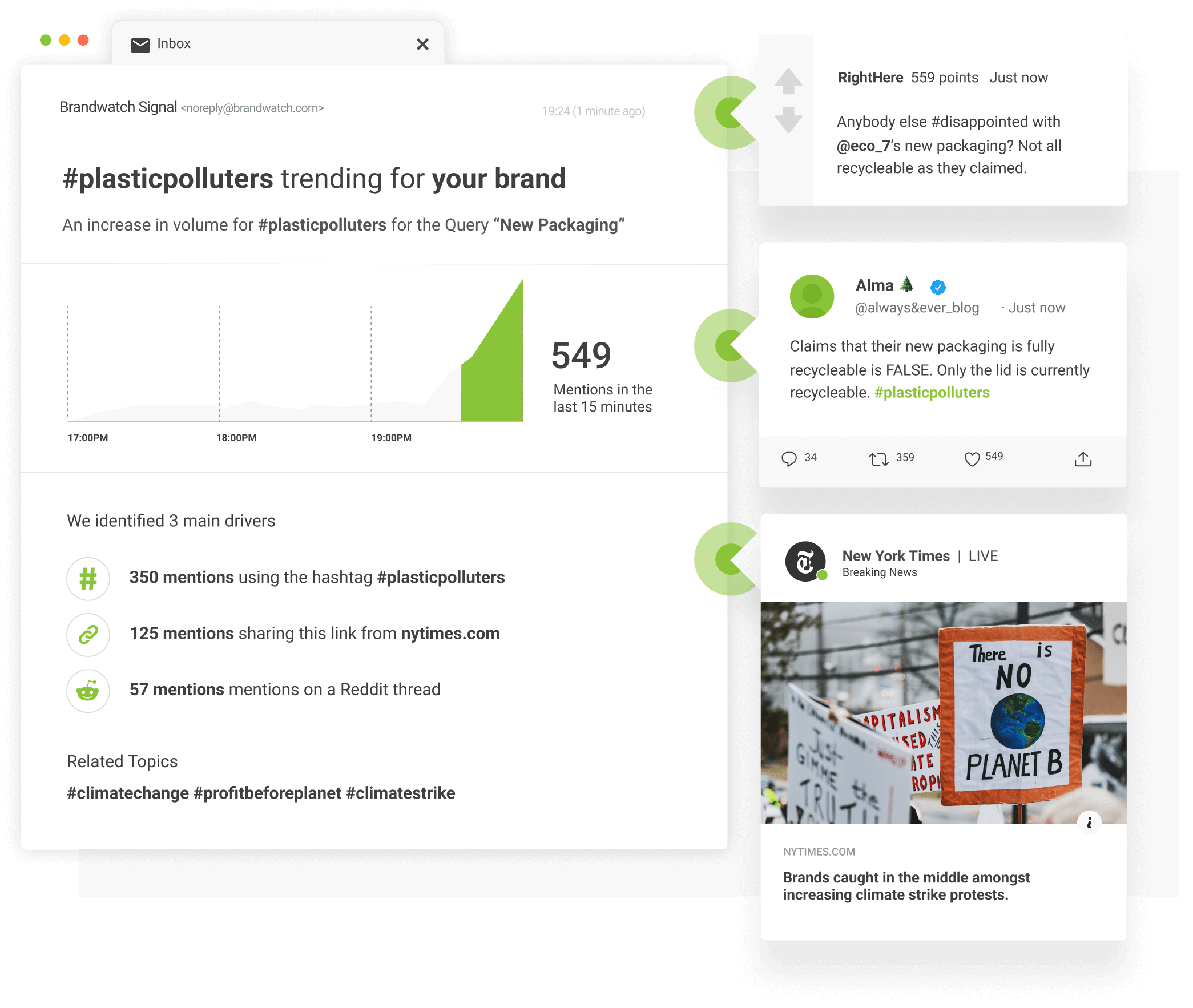
Brandwatch (by Cision) scans for potential threats from over 100M sources and alerts you of emerging crises in real time.
The custom Signals and Alerts act as an early warning system, which automatically flags any negative mentions and warns relevant stakeholders.
These two tools alone are useful in B2B industries often facing online criticism — like telecommunication where hidden fees and slow network connections are common — and need to respond quickly before they escalate.
Top features:
- Crisis management: Get real-time alerts when a crisis emerges. Brandwatch surfaces negative mentions from key audiences and evaluates how they impact your reputation.
- Media intelligence and insights: Outsource your competitive brand strategy to Brandwatch’s consultants and analysts. These experts not only prevent reputational risks but also segment data across audiences and spot untapped opportunities.
- Extensive dataset sourced from Brandwatch and Cision. Its influencer database alone has 30M+ creators.
- Manage all channel messages in one social inbox.
- Track comments on LinkedIn posts to view how your brand is being mentioned by professionals.
- Iris AI completes a variety of tasks, such as building Boolean queries and auto-replying based on contextual information.
- Long and challenging setup. According to user reviews, it takes two months on average to implement Brandwatch into your workflow.
- Steep learning curve for new users due to complexity of tools (e.g., customizing dashboards requires manual adjustments).
Who it’s best for:
Heads of PR or social media managers in global B2B brands monitoring real-time sentiment and coordinating response strategies whenever a crisis arises. Choose Brandwatch if you want to stay ahead of potential threats and support stakeholder communications before and during them.
5. Native LinkedIn tracking or basic analytics: LinkedIn Page Analytics
Pricing: Starts free with paid plans from $69.99/license per month on annual subscription.
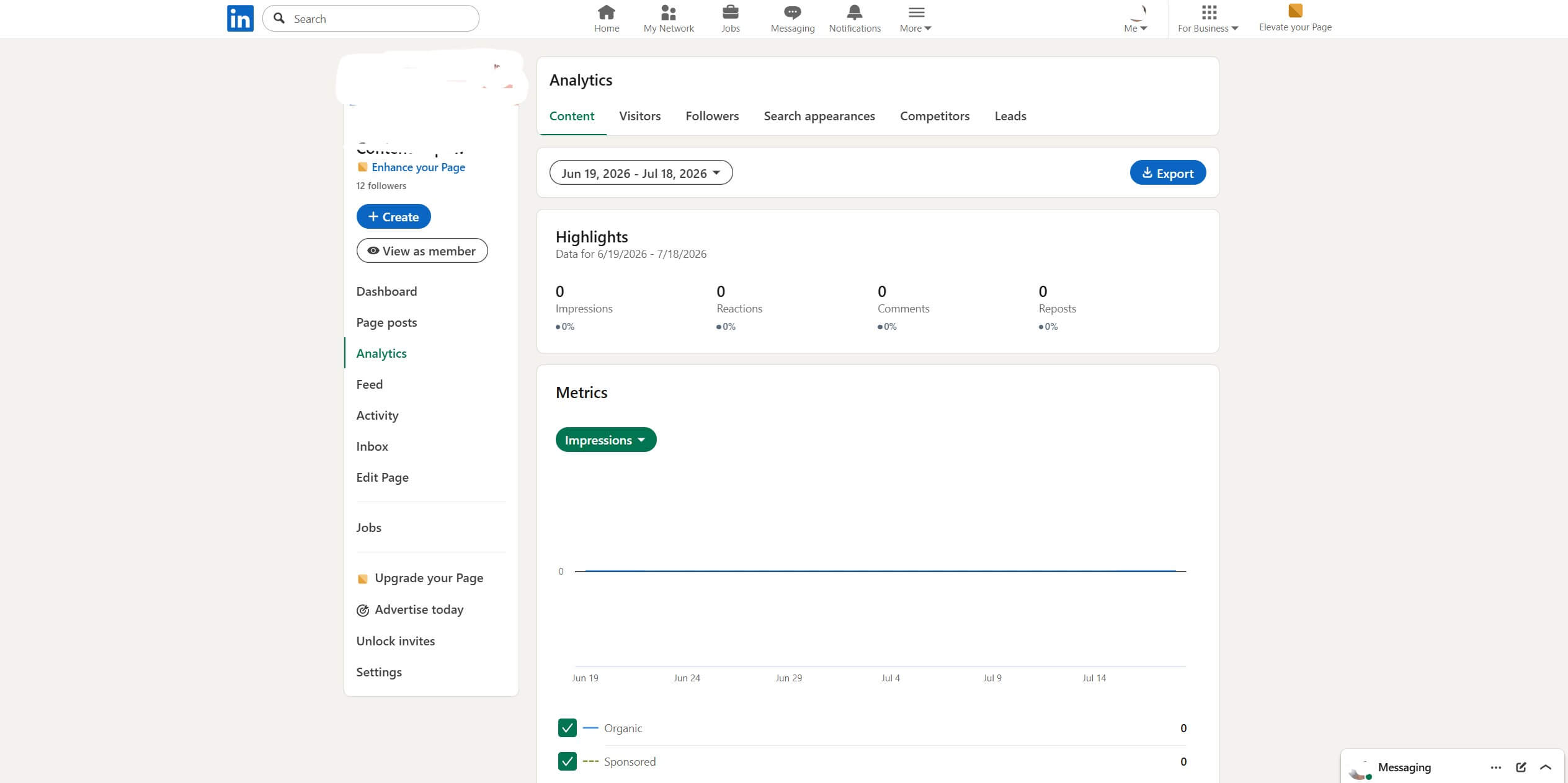
LinkedIn Analytics is a basic tool that analyzes your LinkedIn network.
The surface-level metrics — reactions, posts impressions, clicks, engagement rate, etc. — fall short in funnel tracking. Nor is it useful to understand how LinkedIn engagement influences the company’s bottom line.
However, for companies testing it as a marketing channel, LinkedIn Native Analytics is a decent starting point.
Top features:
- Visitor analytics: View visitor traffic and demographic trends, including the number of new visitors in the last seven days and the percentage change in weekly visitors.
- Automatic invitations: Auto-invite LinkedIn users who engaged with your content in the past 30 days to follow your LinkedIn Page. This “set it and forget” tool helps grow your Page without the extra effort.
- Simple WYSIWYG interface.
- Core metrics available natively.
- Offers free trial every 365 days.
- Complements LinkedIn Sales Navigator.
- Expensive compared to large feature set offered by competing tools.
- Limited data set (e.g., view trending posts from only up to three competitors in the past 30 days).
- Rounded-up follower count, which may be inaccurate.
- See up to only seven members who visited your LinkedIn Page each week.
Who it’s best for:
Growth marketers starting LinkedIn as a new marketing or business acquisition channel. Avoid LinkedIn Analytics if you require in-depth analytics — for example, if you want to connect engagement data with business metrics like earned media value (EMV) or closed-won deals.
6. Social listening for large-scale social operations: Sprout Social
Pricing: 30-day free trial with paid plans from $79/seat per month on annual subscription.
Sprout Social turns your audience signals into business decisions with zero guesswork.
There are loads to do in this social suite. From understanding customer experience to connecting social actions with ROI, Sprout Social is ideal if you own production across social and want to support broader business goals.
Top features:
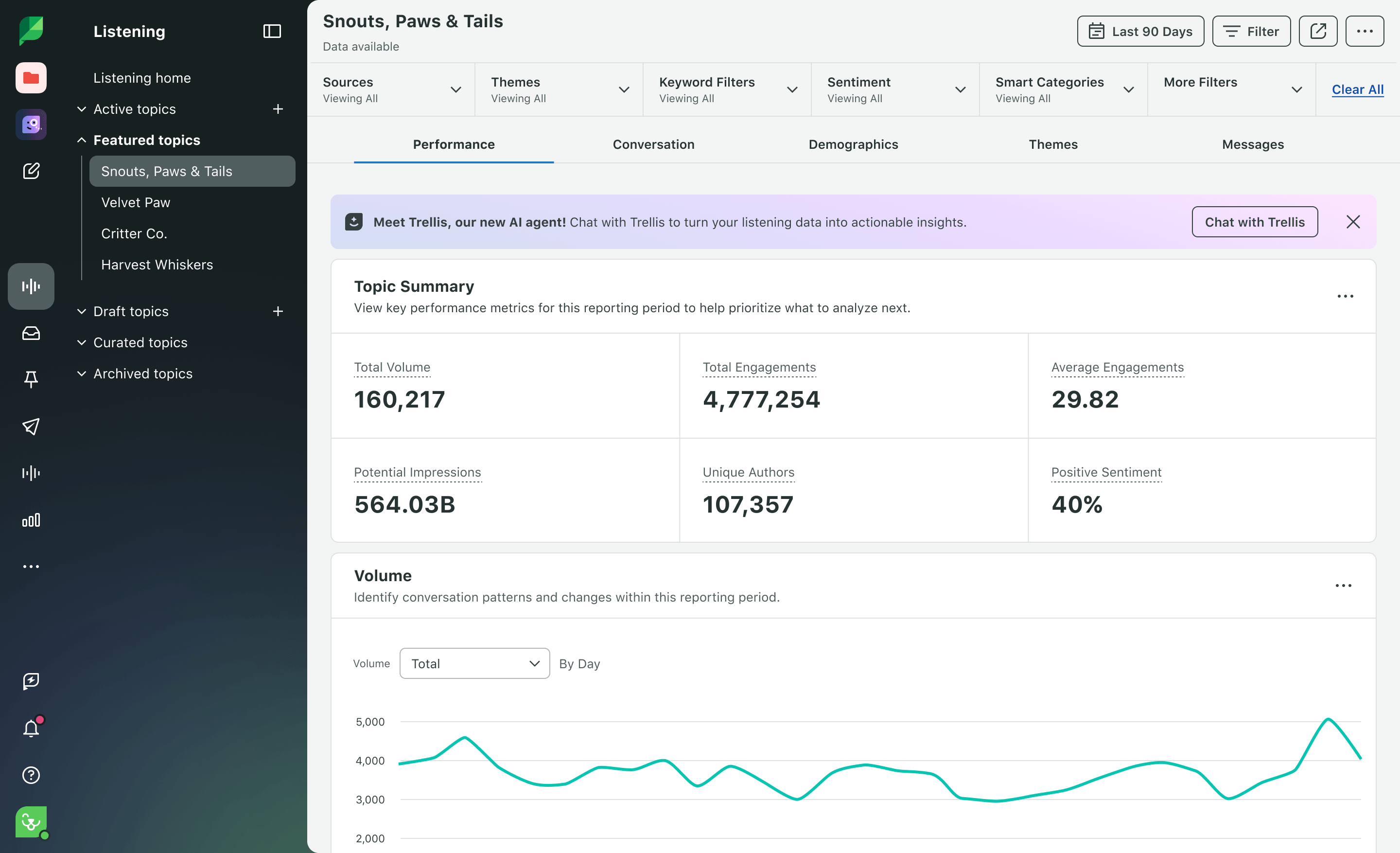
- Analytics: Sprout Social measures your social initiatives with cross-network and platform-specific metrics like audience sentiment and keyword sentiment. Using the LinkedIn management tool, you can analyze engagement behavior on your Company Page and calculate ROI of your sponsored content.
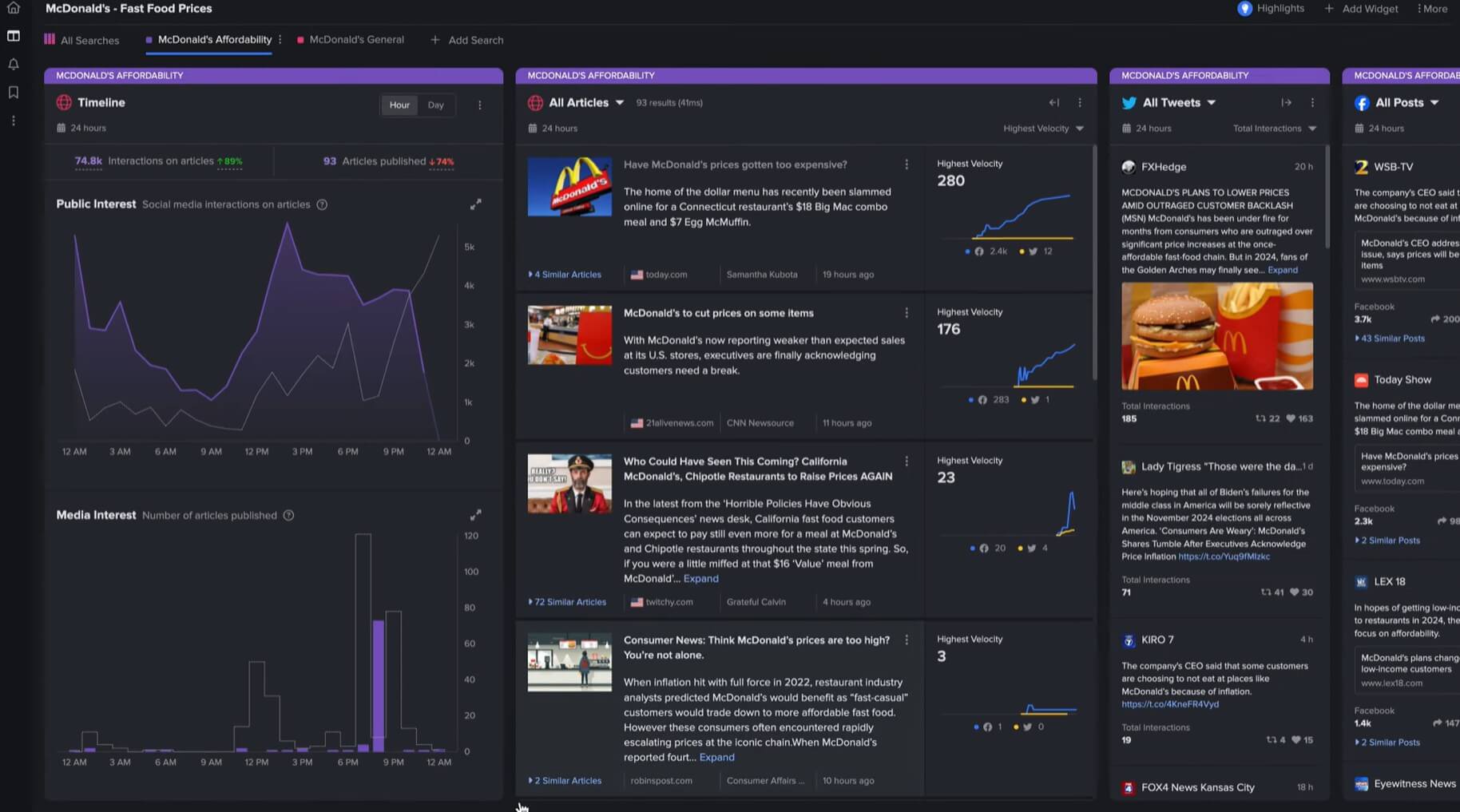
- NewsWhip: Monitor social signals and news to forecast what’s rising before it’s too late. This helps you shape narrative early, whether it’s a crisis before backlash or market changes competitors haven’t caught wind of.
- Listening: Create queries to track conversations around topics that matter most to your brand — with zero boolean knowledge. You can instruct Trellis (Sprout Social’s AI tool) in natural language to analyze trends and insights.
- Customize metrics based on priorities of individual teams.
- AI-powered Brand Fit Scores identify influencers based on resonance, content performance, and past performance.
- View users’ past comments on LinkedIn posts and reply in context.
- Use tagging to organize content by theme, campaign, partnership, or objective. This tool is incredibly useful in A/B testing (e.g., tagging UGC vs. campaign imagery to test which drives engagement).
- Steep seat-based pricing.
- Cluttered interface when navigating advanced settings or building complex workflows.
- Occasional glitches during heavier analytical loads.
Who it’s best for:
Heads of Social using social intelligence to accelerate departmental decisions in acquisition marketing, business, and R&D. Choose Sprout Social if you want to connect LinkedIn or your entire social data directly to financial metrics like leads and EMV.
7. LinkedIn corporate influencers and employee advocacy programs: Taplio
Pricing: 7-day free trial with paid plans from $32/month on annual subscription.
Source
Taplio turns your target audience into warm leads on LinkedIn.
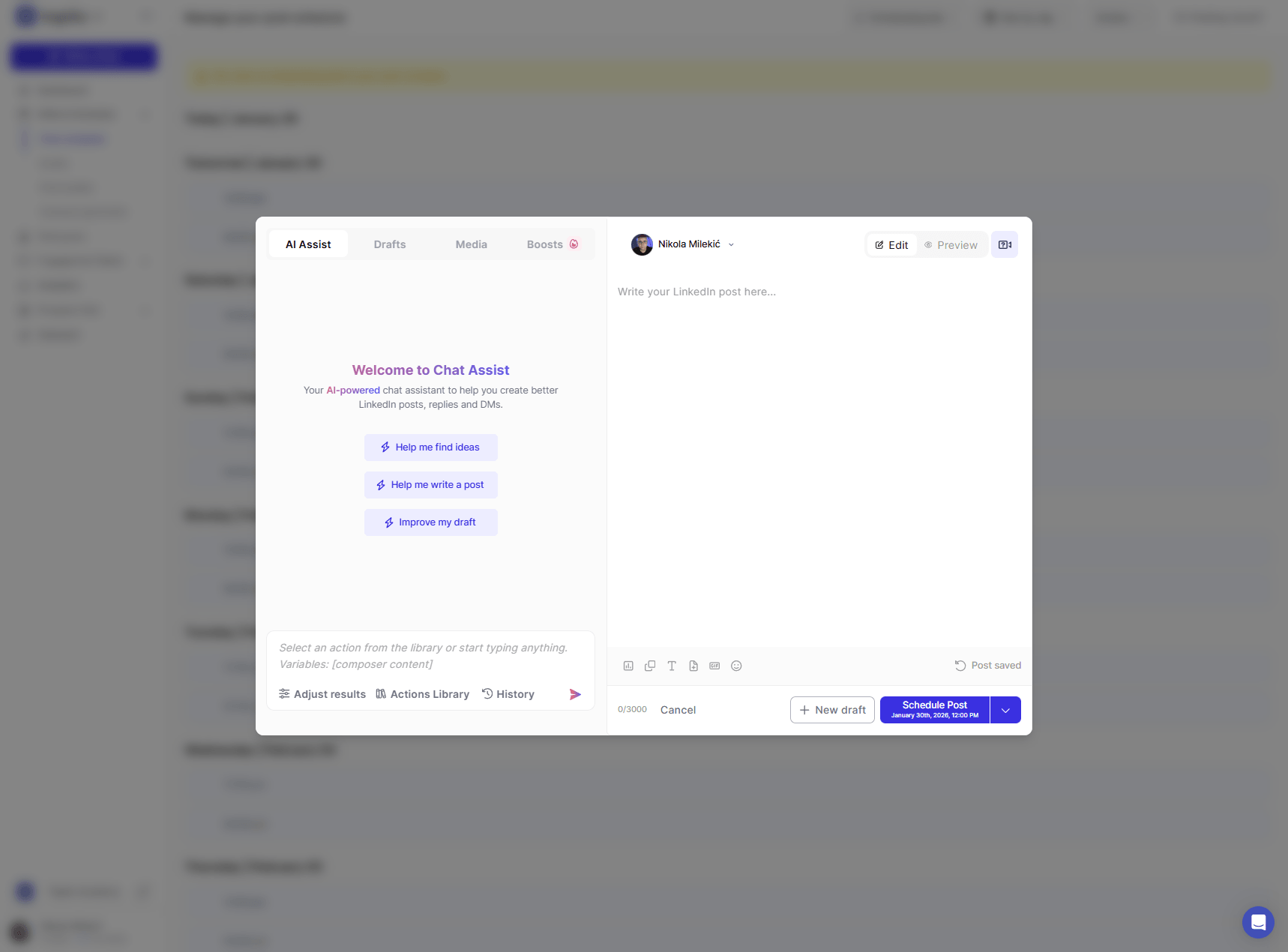
With its AI coach, you can ideate, create, and schedule in 10 minutes a day.
Taplio boasts a full LinkedIn workflow — all the way from brainstorming and post scheduling to feed-for-commenting and sending DMs — so it’s a splendid choice for personal branding and lead generation on autopilot.
Top features:
- Engagement builder: Taplio surfaces new relevant people (and their latest posts) in a focused feed. Track who engages with your content and nurture them before sending the first DM.
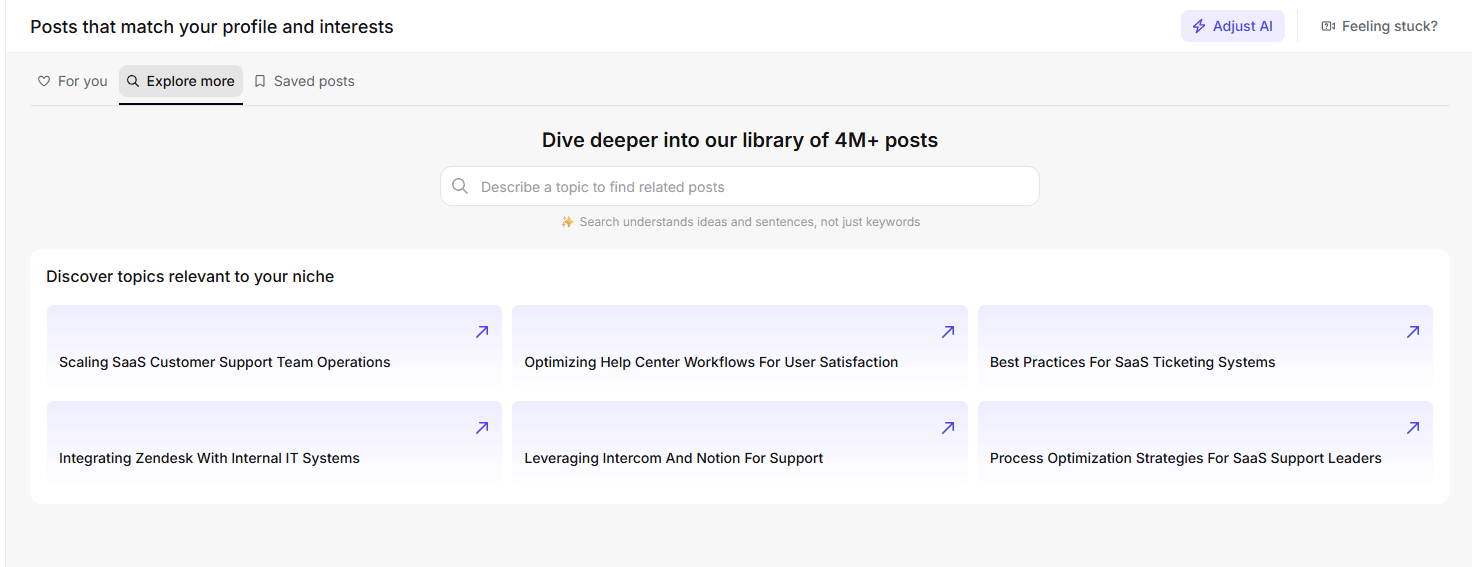
- Inspiration feed: Taplio pulls ideas from viral posts in your niche. Filter by topic, engagement, or post type. Once you find an idea you like, use the AI tool to write a first draft and edit as desired.
Source
- Automatically like and reply to comments users leave on your posts.
- Runs Taplio from Claude, ChatGPT, or any MCP-enabled LLM on all plans.
- Outreach and networking tools like lead databases and auto-connection requests.
- Free trial is only seven days.
- Outreach and networking tools are offered only on the highest tier plan ($149/month on annual subscription).
Who it’s best for:
In-house marketers running a social selling or founder-led content program on LinkedIn; or SDRs and BDRs who want to connect with key decision-makers on LinkedIn. Choose Taplio if you want to stay top of mind throughout the buying journey.
8. Long-form LinkedIn ghostwriters and solo creators: AuthoredUp
Pricing: 14-day free trial with paid plans from $16.63/month on annual subscription.
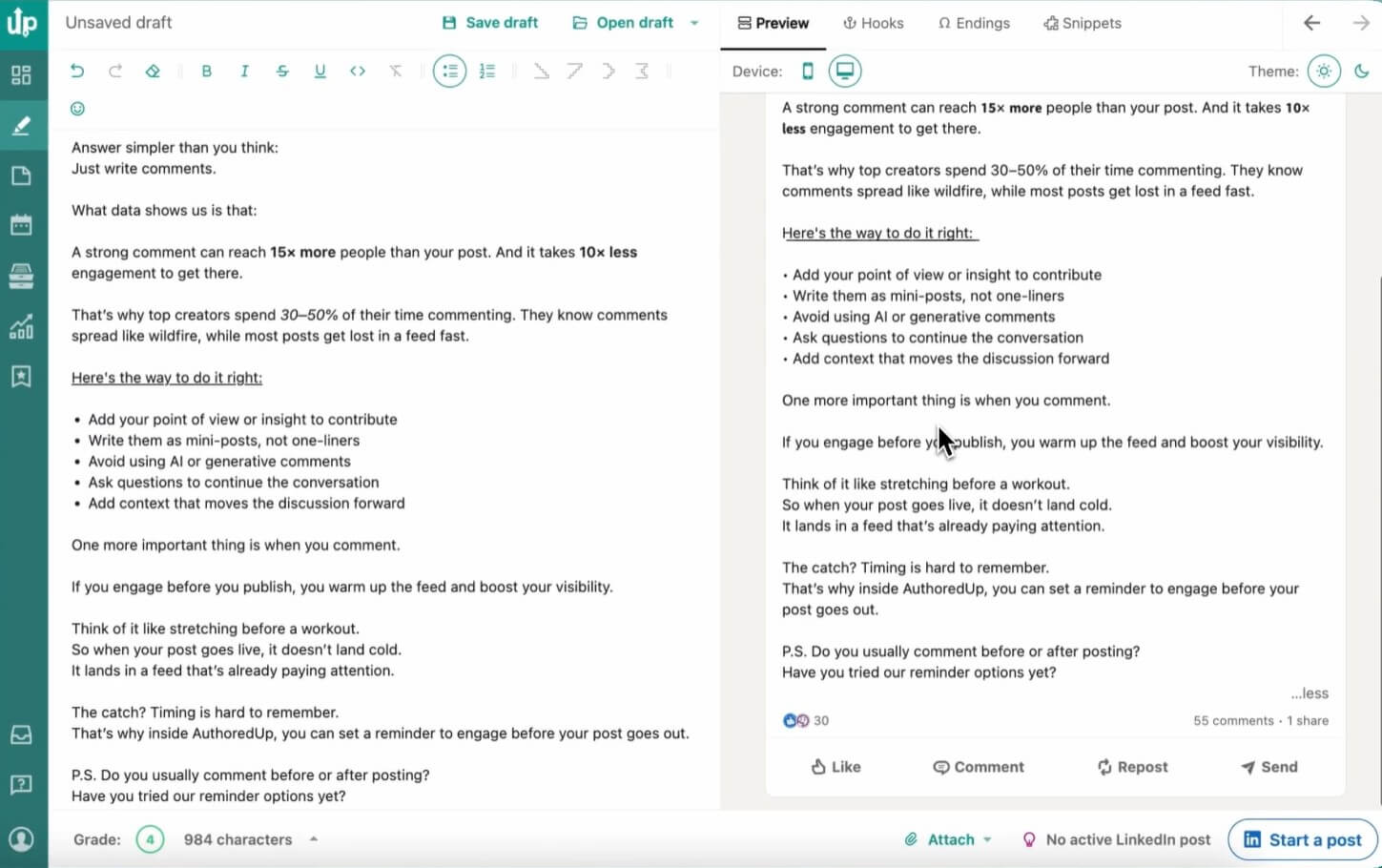
AuthoredUp helps content creators write, schedule, and analyze their LinkedIn posts in one place.
As a content creation tool, the editor stands out. You can easily format your long posts to make them clearer and more engaging. AuthoredUp also excels in one-click post repurposing — simply pull any old post into the editor to tweak and republish it instantly.
AuthoredUp was one of the popular alternatives users recommended when Shield Analytics shut down.
Top features:
- Editor: AuthoredUp offers rich formatting, readability grade, and multi-device preview in its editor. You can write your posts without ever leaving LinkedIn.
- Smart Post Reuse: AuthoredUp suggests three past posts worth republishing based on engagement and recency. Turn them into a fresh draft in one click.
- Advanced metrics: Besides likes, AuthoredUp tracks other per-post signals like saves, sends, profile views, and followers gained.
- Very affordable.
- Supports both personal profiles and company pages.
- Chrome extension brings formatting, drafts, and scheduling into your LinkedIn feed.
- Archive import that loads years of historical post performance, including past posts published outside of AuthoredUp.
- Post to LinkedIn Groups straight from the editor.
- Can’t schedule the first comment for a LinkedIn post (tip: you can do this in competing tools like Taplio).
- Only schedules posts three months in advance.
Who it’s best for:
Long-form writers or LinkedIn ghostwriters who work with multiple clients valuing educational “deep dive” content. Choose AuthoredUp if you want to create, schedule, and analyze your LinkedIn posts in one central hub.
What features should I look for in a LinkedIn analytics tool?
Look for features like historical data, marketing and sales integration, content performance, automatic reporting, customization, and intuitive user interface in a LinkedIn analytics tool.
- Historical data: Opt for a LinkedIn analytics platform with at least 1-year worth of data. That provides long-term patterns on user behavior, trends, and brand growth.
- Marketing and sales integration: Prioritize mar and sales tech stack integration. The right LinkedIn analytics tool streamlines your workflows, be it syncing social profiles in a CRM or pushing your LinkedIn data with other sources into one report.
- LinkedIn content performance: Choose a LinkedIn analytics tool that pinpoints your optimal time and winning theme and format. That way, you spot the exact hooks or insights that drive engagement — and double down your efforts.
- Report customization with auto-sharing: A flexible LinkedIn analytics platform customizes charts, metrics, and key findings based on your needs. It should also share reports automatically.
- Intuitive user interface: Choose a LinkedIn analytics solution with clear navigation. It lets you easily analyze large volumes of data, configure advanced report settings, or even create Boolean queries confidently.
Which LinkedIn analytics tool should you use?
There’s a case for each LinkedIn analytics tool on this list. If you’re new to the channel, use the native LinkedIn Analytics. For connecting ABM accounts directly to the CRM, pick Fibbler. On the other hand, if you want to get more mileage out of your LinkedIn content, AuthoredUp is an excellent choice.
Whichever LinkedIn analytics tool you pick, grab your 14-day free trial on DashThis today.
DashThis automatically pulls your entire marketing data — including LinkedIn Ads and Posts — into one client-ready report. In a single interface, you can quickly spot how each channel and campaign impacts revenue and growth.

Read More
Don’t miss out!
Follow us on social media to stay tuned!


Automate your reports!
Bring all your marketing data into one automated report.
Try dashthis for free