NEW Spotify Ads

DashThis integrates with Spotify Ads reporting

Dashboard Integration Background Header

Your audio campaigns generate real numbers, spend, reach, impressions, video views, but they usually live inside Spotify Ads Manager alone, cut off from the rest of your media plan. DashThis’s Spotify Ads integration closes that gap: it feeds your campaign data straight into an automated dashboard next to Google, Meta, TikTok, and everything else you already report on.


What can you do with the Spotify Ads integration in DashThis?

  • Spin up a Spotify Ads dashboard in minutes, no spreadsheets required
  • Track spend, impressions, reach, frequency, clicks, CTR, CPC, CPM, and video views
  • View performance at the campaign, ad set, or ad level
  • Pair Spotify Ads with Google Ads, Meta Ads, TikTok Ads, GA4, and the rest of your media mix
  • Send polished, client-ready reports on autopilot
  • 12

    Metrics & Dimensions

  • 2

    Dashboard Templates

How to connect Spotify Ads to DashThis

Connecting Spotify Ads to DashThis takes three steps:

See this report in action here!

Connect your Spotify Ads account Connect your Spotify Ads account

Find Spotify Ads in the integrations list and log in through Spotify Ads Manager to link your account. Managing several advertisers? Connect each one and keep every account’s reporting in the same place.

Select your metrics and dimensions Select your metrics and dimensions

Pick the Spotify Ads metrics that matter for this report, Spend, Impressions, Reach, CTR, CPM, Video Views, and more, then drop them into widgets you can resize, reorder, and rename to fit how you report.

Customize and automate your dashboard Customize and automate your dashboard

Arrange your layout, drop in your logo and colors, and you’re set. From here, DashThis keeps pulling fresh Spotify Ads data on its own, no more logging in to grab last month’s numbers by hand.

What Spotify Ads metrics can you track in a DashThis dashboard?

Every number Spotify Ads Manager reports on can live inside your DashThis dashboard too, organized the way you actually think about a campaign: what it cost, how far it reached, and what people did about it.

Spend
The amount spent on your ads, in the ad account currency
CPC
Cost per click: spend divided by clicks
CPM
Cost per thousand impressions: spend divided by impressions, multiplied by 1,000
CTR
Click-through rate: clicks divided by impressions
Frequency
The average number of times each unique listener was served your ad, calculated as impressions divided by reach
Impressions
The number of times your ad was served
Reach
The number of unique listeners who were served your ad
Spend
The amount spent on your ads, in the ad account currency
Video Views
The number of times your video ad was viewed
Campaign
Breaks your data down by campaign
Ad set
Breaks your data down by ad set, which is the group of ads inside a campaign
Ad
Breaks your data down by individual ad

Combine Spotify Ads with other integrations

Audio rarely runs on its own. Layer Spotify Ads data into a dashboard alongside:

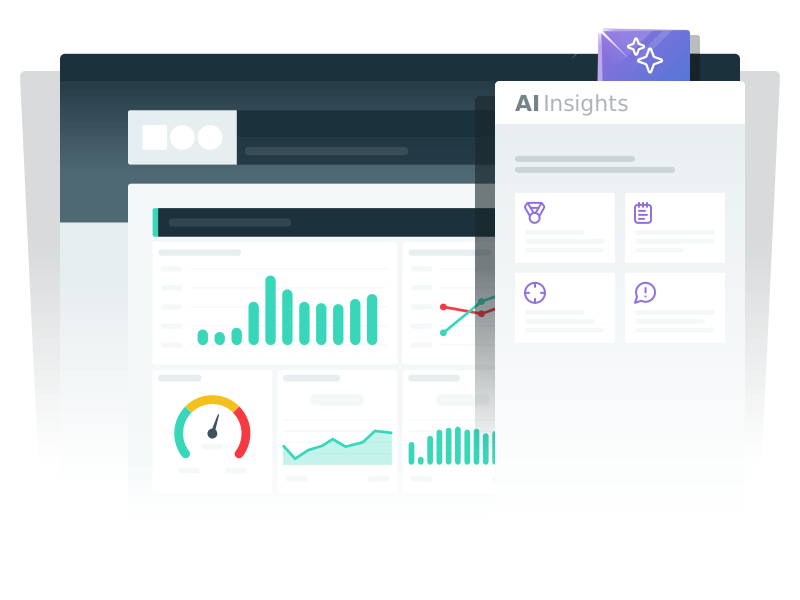
AI Insights: Turn Spotify Ads data into clear insights

Staring at a spend chart doesn’t tell you what to do next, AI Insights does. Run it on your Spotify Ads dashboard and it flags what’s actually worth knowing: campaigns pulling ahead, frequency creeping too high, delivery patterns worth a second look.

Agencies use it to skip the manual analysis step and hand clients a takeaway instead of a spreadsheet full of numbers.

Try it now
AI Insight

Frequently Asked Questions About the Spotify Ads Integration

Have questions about using Spotify Ads with DashThis? Here are a few quick answers.

What is the Spotify Ads integration in DashThis?

It’s a direct connection between Spotify Ads Manager and DashThis that keeps your campaign data flowing into a live dashboard automatically, no exports, no copy-pasting, no waiting for someone to pull numbers.

Is the Spotify Ads integration available now?

Yes, it’s live for every DashThis account. Add it from the integrations list whenever you’re ready, and reach out to support if you get stuck connecting your account.

Is Spotify Ads data updated automatically in DashThis?

It is. Connect your account once, and DashThis keeps pulling fresh data on its own from then on, so the dashboard you check today reflects yesterday’s numbers without you doing anything.

What Spotify Ads metrics can I track?

Spend, Impressions, Reach, Frequency, Clicks, CTR, CPC, CPM, and Video Views, all available at the campaign, ad set, or ad level.

Why do Reach and Frequency look different over long date ranges?

Both metrics count unique listeners, which only holds up accurately across periods of 89 days or less. Reporting on a longer stretch? Lean on Impressions, Clicks, and Spend instead, or split your report into shorter chunks.

Can I customize my Spotify Ads dashboard?

Completely. Swap out metrics, resize and rearrange widgets, adjust the date range, and set up side-by-side comparisons, whatever helps you highlight what a given client actually cares about.

Can I combine Spotify Ads data with other marketing platforms?

Yes, that’s the point. Add Google Ads, Meta Ads, TikTok Ads, Google Analytics, or any of DashThis’s other integrations to the same dashboard so audio sits next to the rest of the media plan.

Can I share my Spotify Ads dashboard with clients?

You’ve got a few options: send a live link, set up recurring email reports, or export a PDF whenever one’s needed. Add your logo and brand colors first and it’ll look like it was built just for them.

Can I track multiple Spotify Ads accounts?

Yes. Connect each advertiser’s account separately, then either keep them as individual dashboards or merge them into one consolidated report, whichever fits how you work.

Why choose Dashthis

dashthis blue icon digital advertising Easy to set up, easy to use

Connecting a new data source shouldn’t eat your afternoon. Link your tools, drop in preset widgets, and your dashboard is ready, no developer required.

dashthis blue icon trophy Built for branded reporting

Every report can look like it came from you, not from us. Logos, colors, layout, even a white-labeled URL if your clients need it.

Dashboard Integrations Turn data into clear insights

Numbers alone don’t explain themselves. AI Insights and a customizable layout help you get past what happened to what it means and what to do next.

dashthis blue icon non profit Automated, recurring reports

Set a schedule once, weekly, monthly, whatever fits, and DashThis handles the sending from there. Reporting keeps happening even on the weeks you don’t think about it.

dashthis blue icon possibilities Flexible customization for every use case

A one-page summary for an executive and a granular breakdown for the team running campaigns don’t have to be two different tools. Build both from the same data.

dashthis blue icon pricing Easy sharing for teams and clients

Live dashboards, scheduled emails, downloadable PDFs, share however works for the person on the other end, without handing over access to your actual accounts.

Loved by thousands of marketers

With satisfied clients across 120+ countries, DashThis is the power behind countless online marketing reports, here are some of the reasons why:

  • I was skeptical about DashThis’s new AI Insights but when I tried it, I was shocked. It sounded exactly like how I’d write it, with accurate and even insightful recommendations. I’m really looking forward to seeing how much time we can save this month.
    Pam Kearley - Director of Strategy Forge and Smith Pam Kearley Director of Strategy
  • The biggest benefit is the time saved in terms of data collection. It's also great that the design is very pretty out of the box.
    Jonas Meister - Digital Marketing Strategist Jonas Meister Digital Marketing Strategist GnuWorld
  • We've played around with countless reporting tools over the years but none of them come anywhere close to Dashthis. The level of integration and customization of reports, as well as their outstanding client support are unrivalled!
    Reef Digital Agency Director Hadrien Brassens Director Reef Digital Agency
  • DashThis allows me to quickly and easily get my clients key multi-channel performance metrics in one easy to digest report!
    Dave Ashworth - Technical SEO Consultant Dave Ashworth Technical SEO Consultant Organic Digital
  • Game changer for client communications and expectations. Also help in the sales process!
    Darian Kovacs - Digital Marketing & PR Specialist Darian Kovacs Digital Marketing & PR Specialist Jelly Digital Marketing & PR
  • We have so much less manual work to do; we save many hours a month that can instead be used for our customers!
    Mariève Masse - SEO Specialist & Project Manager Mariève Masse SEO Specialist & Project Manager Datmos
  • Customer service has been great, quick responses. The dashboard is awesome, looks good, and has everything we need to client reporting. Kudos!
    Nekta Born - Digital Media Trader Nekta Born Digital Media Trader iProspect
  • Phenomenal customer service.
    Niek Van Santen - Managing Director Niek Van Santen Managing Director Bouncing Orange
  • This tool has helped us close new accounts and improve customer satisfaction.
    Jeff Schroeffel - President / Lead Consultant Jeff Schroeffel President / Lead Consultant Walk with Pic
  • We use so many different reporting platforms - this consolidates what we give our clients.
    Leigh Ann Moltz - Digital Marketing Manager Leigh Ann Moltz Digital Marketing Manager Eighty Three Creative
  • DashThis is a phenomenal tool for communicating with clients and staff. With 10 minutes of set up, I can create a custom report for a client that speaks to their digital marketing goals.
    Michelle Henderson - Founder Bad Cat Digital Agency Michelle Henderson Founder Bad Cat Digital
  • We used to spend 30-40 hrs on monthly reporting. We’re now down to 10-20 hours max while providing even more detailed information.
    Brad Blackburn - Director of Search Engine Marketing at GravityFree Brad Blackburn Director of Search Engine Marketing GravityFree
Digital Marketing reporting dashboard

Get Started Today!

Try DashThis

Made in Canada

DashThis is a brand owned by Moment Zero inc

Copyright © 2011-2026