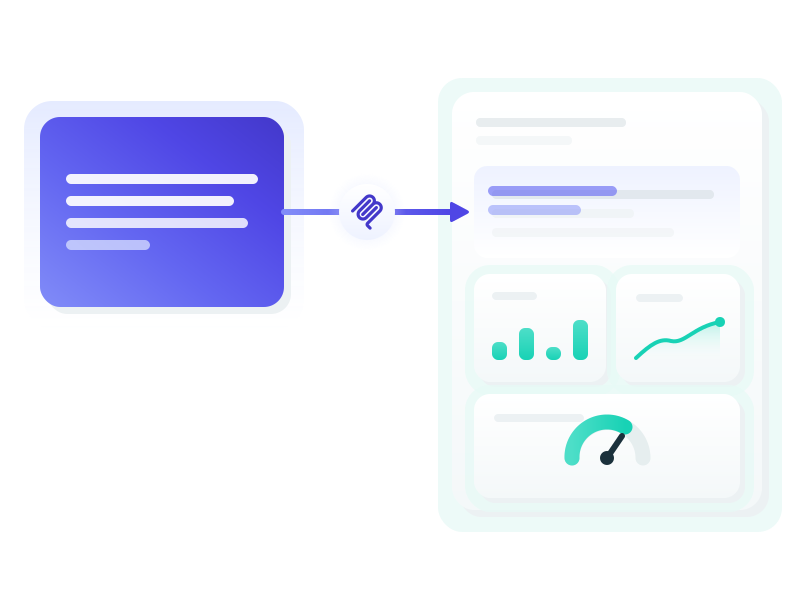
TLDR: Claude, ChatGPT or any AI that connects to DashThis through MCP can now write your client recap into the comment box of your dashboard. It's included in every plan.
We're quite excited to introduce a new, top-requested feature to our MCP: Claude can now write your client recap, automatically, right into your dashboard! 🎉
We say Claude, but it could be ChatGPT, or any other AI you use that allows for MCP connections. And a big thank you to everyone who talked with us on our calls about how you write your recaps. It helped a lot.
Why we started with the client recap
We checked our platform data: almost 3 in 4 active accounts have written in the comment boxes of their dashboards. It's a pain, because you write it again every period, in each client's language. It's also the part your clients actually read. So that's where we started.
How it works
It works on any dashboard that has a comment box, and Claude starts from everything it already knows about you: your writing style and tone of voice, your past client recaps, your connected tools and your meetings.
-
Ask for this period's recap
Something as plain as "Write this month's client recap for my dashboard and put it in" is enough.
-
Iterate until you're happy
Ask for a shorter version, a different angle, a firmer tone on the campaign that underperformed.
-
Claude puts it in your dashboard
The recap lands in the comment box, the widget you already know.
-
Fine-tune by hand if you want
Change a word, add a line, and you're ready to go!
-
Or automate it
Set up a routine so the recap writes itself, and rely on our email send so everyone gets their report on time.
For a first connection, the Help Center has a step-by-step guide for each assistant: Claude, ChatGPT, and more in the Help Center.
You stay in control
You stay the author. In a conversation, Claude shows you what is there now and asks before it replaces anything. If you build an automated routine, you set the rules it follows.
What's live, what's in beta, what's next
- Writing the client recap into your dashboard is live, and it's what this post is about. It's the first time Claude writes into a dashboard you already have.
- Creating dashboards is in beta. If your connector was already connected, reconnect once.
- Bringing in data we don't have a connector for yet is in beta too.
- Editing the whole dashboard is what we're building next.
We ship when it's right, same as always, and we'll keep you posted.
Try it today
Connect DashThis to Claude or ChatGPT, then ask for this period's recap on a dashboard that has a comment box. The first time, Claude may ask you to reconnect DashThis and approve writing. That's one small step.
If you're not connected yet, setting up the DashThis connector takes a couple of minutes, and it's included in your plan. The write is included too, on every plan. For more prompts to borrow, we keep a running set of examples and prompts for the connector.
Still copy-pasting from ChatGPT? Ask it to do it itself (our guide to the copy-paste way is still there), and tell us how it goes! We read every email.
Happy reporting,
The Team at DashThis
Can Claude or ChatGPT write my client recap into my dashboard?
Claude, ChatGPT or another connected assistant drafts this period's client recap from everything it knows about you, then writes it into the comment box of your DashThis dashboard. You iterate until you're happy before it goes in, and there is no copy-paste.
Do I approve before it lands?
In a conversation, Claude shows you what is there now and asks before it replaces anything, and you iterate until you're happy. If you build an automated routine, you set the rules it follows. Afterwards you can still fine-tune the recap by hand in your comment box.
Can I automate the whole thing?
With a routine, it runs on its own: the AI writes the content of your comment boxes, and our email send makes sure everyone receives their report on time, with the recaps current in the dashboards.
Can Claude create or edit whole dashboards?
Creating dashboards is available in beta, and if your connector was already connected, reconnect once. Editing the whole dashboard is being built right now. Stay tuned.
Can AI write the commentary for my client reports?
We call it the client recap: the commentary on a client report, the executive summary of what the numbers mean. Claude drafts it from everything it knows about you, you approve it, and it writes it into the comment box of your DashThis dashboard, with no copy-paste.