TLDR: Snapchat Ads reporting is the process of collecting your Snapchat campaign data (spend, impressions, swipes, video views, conversions) and turning it into a report that explains to a client or a stakeholder what the budget bought and what should happen next.
That last part is where most reports fall apart. Snapchat Ads Manager will happily show you dozens of metrics across a dozen breakdowns, but a client who spent $8,000 last month does not want dozens of metrics. They want to know whether it worked.
Snapchat is not a channel you can dismiss anymore either. Snap reported 493 million daily active users and 971 million monthly active users in Q2 2026, with revenue up 19% year over year to $1.6 billion. If you manage paid social for clients targeting under-35 audiences, Snapchat line items are showing up in your budgets, and they need to show up in your reports.
This guide covers what to report, which metrics matter, three ways to build the report, and a ready-made Snapchat Ads report template you can plug your own data into.
What is Snapchat Ads reporting?
Snapchat Ads reporting is the practice of pulling performance data from Snapchat Ads Manager (or the Snapchat Marketing API) and presenting it in a structured report that shows spend, delivery, engagement, and conversion results for a given period. A complete report answers three questions: what did we spend, what did we get for it, and what changes next month.
It sits inside the broader discipline of paid social reporting, and for agencies it usually lives alongside Meta, TikTok, and Google Ads data in a single client-facing dashboard rather than as a standalone deliverable.
Why Snapchat Ads reporting matters for agencies
Three reasons it earns its place in your reporting workflow:
-
Snapchat metrics are not interchangeable with Meta's
A "swipe up" is not a link click, and Snapchat's default 28-day swipe-up attribution window is wider than what most Meta accounts run. Reporting Snapchat with Meta labels quietly misleads clients.
-
Video is the whole channel.
Snapchat inventory is vertical, full-screen, and sound-on by default. Quartile completion data tells you whether the creative is working, and it is the metric most agencies skip.
-
It is where the budget conversation happens
Clients renew based on the report, not the campaign. A clear Snapchat report makes the case for the next flight.
Snapchat Ads metrics and KPIs to report
Not every Snapchat metric belongs in a client report. Group them into five buckets, then pick two or three per bucket based on the campaign objective.
| Category |
Metrics to report |
Best for these objectives |
| Spend and efficiency |
Amount Spent, CPM, Cost per Swipe, Cost per Purchase, Cost per Install |
Every report |
| Delivery and reach |
Impressions, Reach, Frequency |
Awareness |
| Engagement |
Swipes, Swipe-Up Rate |
Traffic, consideration |
| Video |
Video Views, Views to 25% / 50% / 75% / 100% |
Awareness, video views |
| Conversion |
Purchases, Purchase Value, Purchase ROAS, Sign-ups, Adds to Cart, Checkouts Initiated, App Installs, Page Views |
Conversions, app installs, catalog sales |
Amount Spent
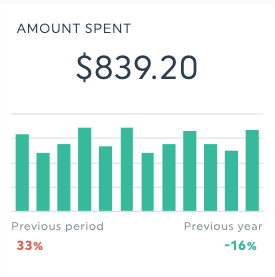
Total budget delivered in the reporting period. Put it at the top of the report, every time. It is the number the client is actually asking about, and every efficiency metric below it is meaningless without it as context.
CPM (cost per thousand impressions)
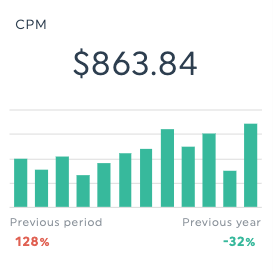
CPM is the average cost to serve 1,000 Snapchat ad impressions. It is your clearest read on auction pressure and audience competitiveness, and it is the metric to check first when performance shifts without any change on your side. Report it alongside impressions so a rising CPM reads as market conditions rather than mismanagement. See our full breakdown of cost per thousand (CPM).
Swipes and Swipe-Up Rate
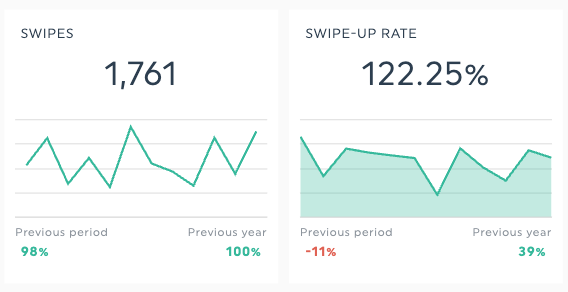
A swipe is the action a Snapchat user takes to open your ad's attachment, such as a website, app install, or long-form video. Swipe-Up Rate is swipes divided by impressions, expressed as a percentage. Treat Swipe-Up Rate as Snapchat's equivalent of click-through rate: it measures whether the creative earned the next step, independent of how much you spent to get there.
Cost per Swipe
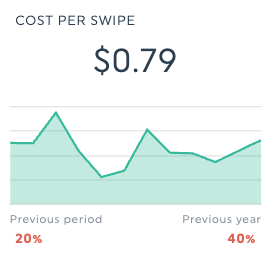
Amount Spent divided by Swipes. This is your efficiency metric for traffic and consideration campaigns, and the one to trend month over month. A creative refresh that lifts Swipe-Up Rate and lowers Cost per Swipe at the same time is the cleanest win you can put in a report.
Impressions, Reach, and Frequency
Impressions count every time your ad was served. Reach counts unique Snapchatters who saw it. Frequency is impressions divided by reach, or how many times the average person saw the ad. Frequency above roughly 3 to 4 on a short flight is usually worth flagging as creative fatigue. Related reading: ad frequency and paid impressions.
One reporting caveat worth knowing: Reach and Frequency count unique viewers, so they cannot be summed across rows. In DashThis, they are available when you break data down by Campaign, Ad Squad, or Ad, but not by Country, Region, Gender, Age, or Operating System (full metric and dimension reference).
Video Views and quartile completions
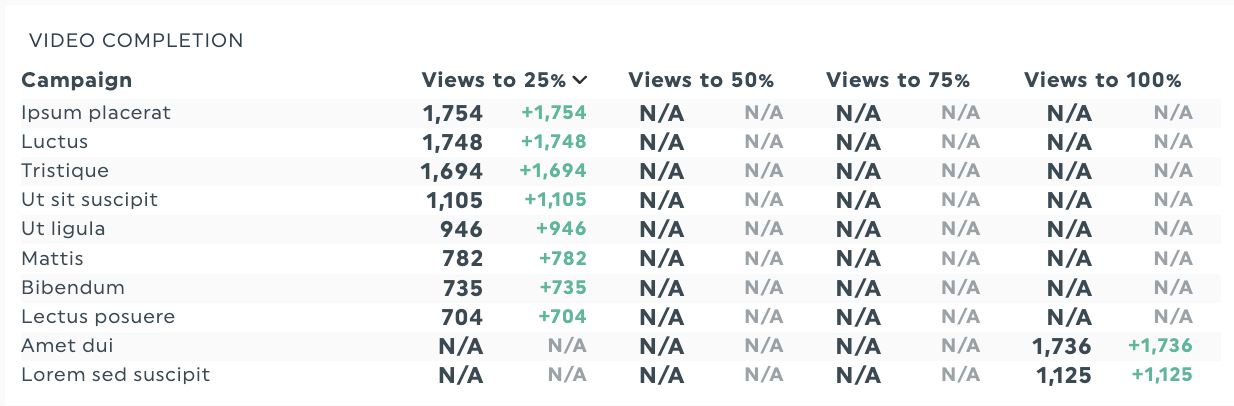
Snapchat reports Video Views plus Views to 25%, 50%, 75%, and 100%. The shape of that drop-off curve is the single most useful creative diagnostic on the platform. Heavy loss between 25% and 50% points at a weak hook; loss between 75% and 100% usually means the ad is too long or the payoff lands late. Report the curve, not just the top-line view count. See video completion rate for how to frame it for clients.
Purchases, Purchase Value, and Purchase ROAS
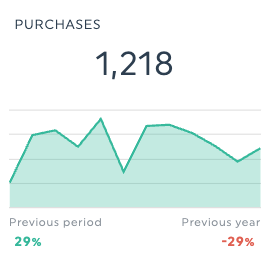
For ecommerce clients, Purchase ROAS is the headline. Purchase ROAS is Snapchat-attributed purchase value divided by Snapchat ad spend, so a ROAS of 3.0 means $3 in tracked revenue for every $1 spent. Always report it with the attribution window attached (more on that below), and pair it with Cost per Purchase so the client sees both efficiency and return. More on return on ad spend (ROAS) and cost per acquisition.
The attribution detail you have to disclose
Snapchat's default attribution is a 28-day swipe-up window and a 1-day view-through window. Per Snap's Marketing API documentation, the swipe-up window can be set to 1, 7, or 28 days, and the view-through window to none, 1 hour, 3 hours, 6 hours, 1 day, or 7 days (a 28-day view-through option exists but is deprecated).
That matters because a 28-day swipe-up window is wider than the 7-day default most Meta accounts run on. Snapchat will often look better than Meta in a side-by-side comparison purely because it is counting a longer tail. Put the attribution setting in a footnote on every report that compares channels. Clients who discover this on their own tend not to trust the next report.
How to report on Snapchat Ads: 3 methods compared
| Method |
Setup time |
Recurring effort |
Multi-client friendly |
Best for |
| Snapchat Ads Manager exports |
None |
High (manual every cycle) |
No |
One account, occasional checks |
| Spreadsheet or Marketing API |
Days to weeks |
Medium (breaks when the API changes) |
Partly |
In-house teams with a data person |
| Automated reporting tool |
Under an hour |
None after setup |
Yes |
Agencies reporting monthly to several clients |
Method 1: Native Snapchat Ads Manager reporting
Snapchat Ads Manager lets you export custom reports and delivery insights directly, with breakdowns by campaign, ad squad, ad, and demographics. It is free, accurate, and fine for a quick look.
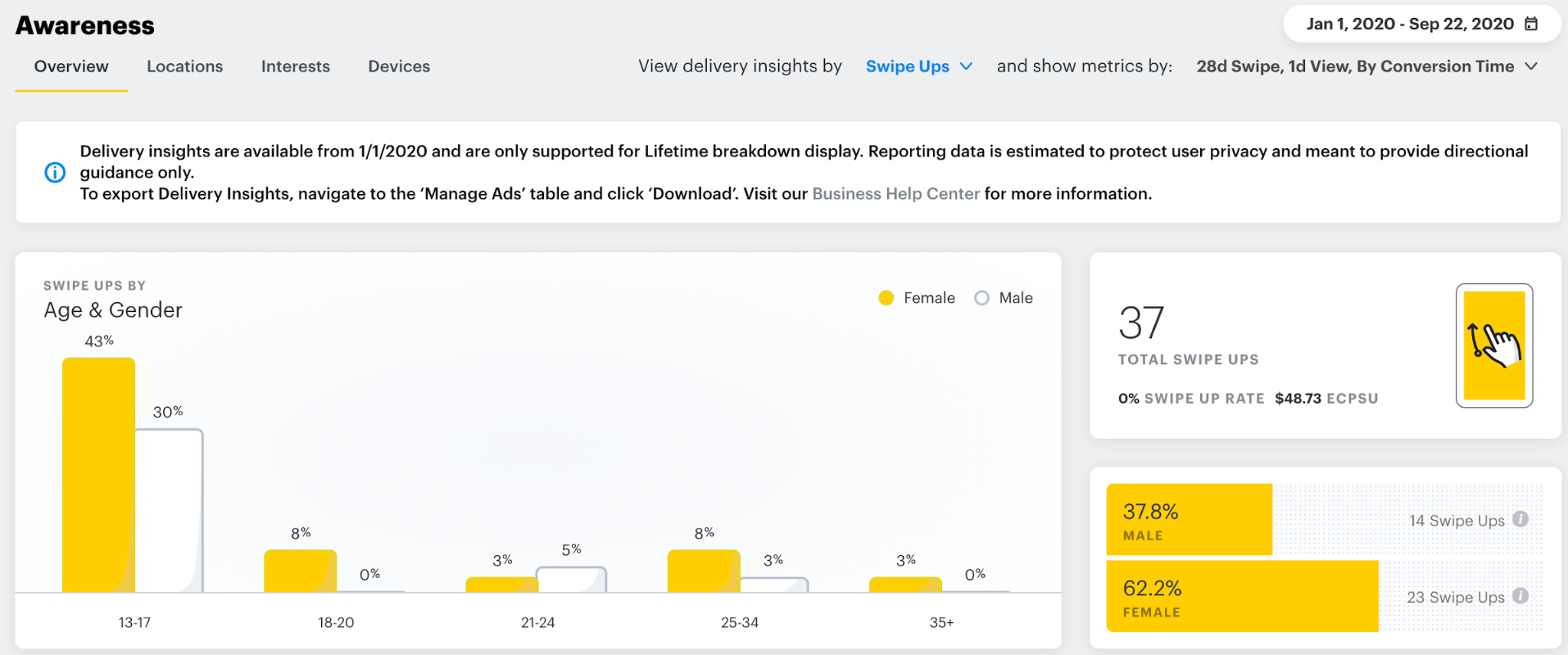
The limits show up fast in an agency context. You get a CSV that needs cleaning and sorting before anyone can read it, exports live outside your client's other channels, and it is a manual job every single reporting cycle. Multiply that by twelve clients and it stops being viable.
Method 2: Spreadsheets or the Snapchat Marketing API
You can pull data through the Snapchat Marketing API into Sheets, a warehouse, or a BI tool. This gives you full control and unlimited custom calculations.
It also gives you a pipeline to maintain. Someone has to own schema changes, token refreshes, and the inevitable morning when the numbers do not match Ads Manager. Worth it if you have data engineering capacity. Expensive if your team is account managers.
Method 3: An automated Snapchat Ads reporting tool
A marketing reporting tool connects to Snapchat Ads once, then refreshes the data on its own and puts it in the same dashboard as your client's Meta, TikTok, and Google Ads results. You build the report once and it updates itself.
This is the practical answer for agencies, because the bottleneck in agency reporting has never been getting the data. It is assembling twelve reports in the last three days of the month.
How to build a Snapchat Ads report step by step
-
Start from the client's objective, not the metric list
An awareness flight and a catalog sales campaign need different reports. Write down the one question the client will ask, and build backwards from it.
-
Set the reporting period and a comparison period
A number with nothing to compare it to is not a finding. Month over month for trends, year over year for seasonal clients.
-
Connect your Snapchat Ads account
In DashThis, this is an OAuth connection from the Snapchat Ads integration; no API keys, no CSV.
-
Pick your widgets by bucket
Two or three from spend and efficiency, delivery, engagement, video, and conversion. Aim for a report that fits on one screen before anyone scrolls.
-
Add breakdowns that lead somewhere
Break down by Ad Squad to compare targeting, by Ad to compare creative, and by Age or Gender when the client has an audience hypothesis to test. Skip breakdowns you would not act on.
-
Add the other channels
Snapchat rarely lives alone. Put it beside Meta, TikTok, and Google Ads so the client sees paid social as one picture. DashThis supports 30+ integrations in one dashboard
-
Write the commentary
Two or three sentences per section: what happened, the likely reason, what you are changing. This is the part clients read, and the part that renews the contract. If drafting it is your bottleneck, here is how to use AI to write monthly client reports.
-
Automate the delivery
Set the dashboard to email itself to the client on a schedule so the report arrives without you touching it. More on report automation.
Snapchat Ads reporting with DashThis (and a free template)
DashThis is an automated marketing reporting tool built for agencies and marketing teams that report to clients or executives on a schedule. You connect your data sources once, pick your widgets, and the dashboard updates itself every reporting period.
The Snapchat Ads integration is currently in beta and available to all DashThis users. It ships with 25 metrics, 8 dimensions, and 10 preset widgets, so the first version of your report is a matter of minutes rather than an afternoon.
Metrics available: Amount Spent, CPM, Cost per Swipe, Cost per Purchase, Cost per Install, Impressions, Reach, Frequency, Swipes, Swipe-Up Rate, Video Views, Video Views to 25% / 50% / 75% / 100%, Purchases, Purchase Value, Purchase ROAS, Adds to Cart, Checkouts Initiated, Sign-ups, Page Views, App Installs, iOS Installs, Android Installs.
Dimensions available: Campaign, Ad Squad, Ad, Country, Region, Gender, Age, Operating System.
What the Snapchat Ads dashboard template includes
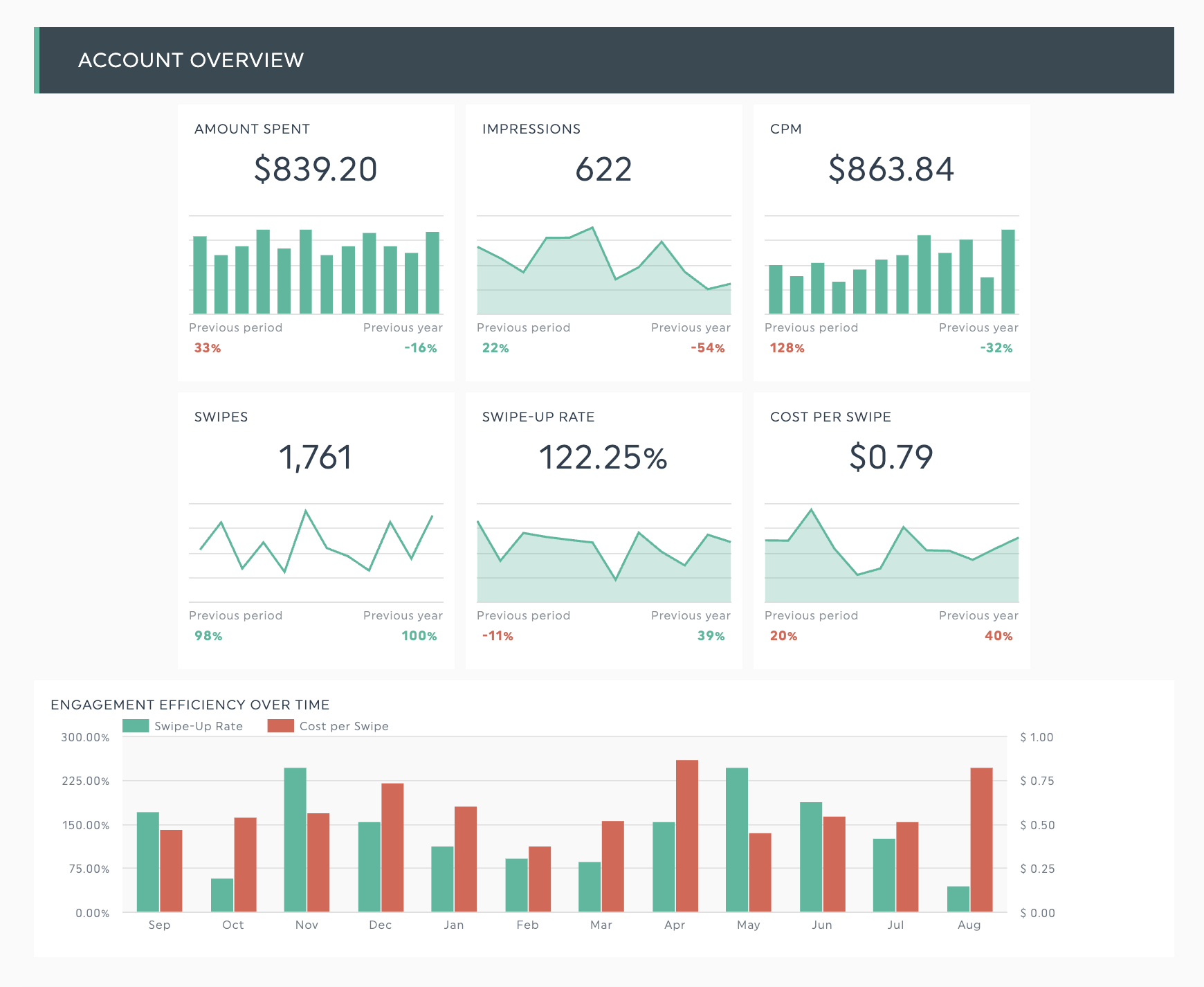
The preset template leads with the metrics that carry a client conversation: spend and CPM at the top, swipes and Swipe-Up Rate next, the video quartile curve below that, and conversion results with Purchase ROAS at the bottom. Breakdowns by Ad Squad and Ad sit underneath for the optimization discussion.
See the Snapchat Ads dashboard template live | Try this template with your own data
Why agencies run Snapchat reporting here
- One dashboard for every channel. Snapchat next to TikTok Ads, Meta Ads, Google Ads, and 30+ more, instead of five tabs and a spreadsheet.
- White label reporting. Your logo, your colors, your domain. The client sees your brand, not ours.
- Reports that send themselves. Schedule the dashboard and stop rebuilding the same report every month.
- A real human on support. Every DashThis account gets a dedicated dashboard expert, which matters more than it sounds when a client meeting is in two hours.
Snapchat Ads reporting best practices
- Report the objective, not the platform. A client running app installs does not need Swipe-Up Rate on page one. Lead with the metric tied to what they are paying for.
- Always show a comparison period. "CPM was $4.20" is data. "CPM was $4.20, down 12% from August" is a report.
- Disclose the attribution window. Especially in a cross-channel report. See the attribution note above; it is the fastest way to lose a client's trust when they find it themselves.
- Report the quartile curve on every video campaign. It is the only metric that tells the client something concrete about the creative, which is usually the thing they can actually change.
- Do not sum Reach or Frequency. They count unique viewers. Adding them across ad squads produces a number that means nothing, and a client who spots it will question the rest of the report.
- Keep the commentary shorter than the data. Two or three sentences per section. Clients skim reports; they read conclusions.
- Standardize the template across clients. One Snapchat report layout you reuse means faster reporting cycles and less room for error.
Build your Snapchat Ads report in minutes
Snapchat Ads reporting comes down to picking the metrics that match the objective, showing a comparison period, being honest about attribution, and delivering it without spending your month-end on it.
The Snapchat ads report template is preset and ready. Connect your Snapchat Ads account, add your other channels, and the report keeps itself current.
FAQ: Snapchat Ads reporting
What metrics should be in a Snapchat Ads report?
Every Snapchat Ads report should include Amount Spent, CPM, Impressions, Swipes, and Swipe-Up Rate. Add Video Views with 25% / 50% / 75% / 100% completions for video campaigns, and Purchases, Purchase Value, and Purchase ROAS for conversion campaigns.
What is a good Swipe-Up Rate on Snapchat?
Swipe-Up Rate benchmarks vary widely by industry, ad format, objective, and audience, so a single universal target is misleading. The more useful approach is to establish your own account baseline over two or three months and measure each new creative against it.
How do I export a report from Snapchat Ads Manager?
Snapchat Ads Manager lets you export custom reports and delivery insights as CSV files, with breakdowns by campaign, ad squad, ad, and demographics. The data is accurate, but it arrives unformatted and has to be redone manually every reporting cycle, which is why most agencies automate it instead.
What is Snapchat's default attribution window?
Snapchat's default attribution is a 28-day swipe-up window and a 1-day view-through window. The swipe-up window can be set to 1, 7, or 28 days; the view-through window to none, 1 hour, 3 hours, 6 hours, 1 day, or 7 days.
Can I report on Snapchat Ads alongside Meta and TikTok?
Yes. A marketing reporting tool like DashThis pulls Snapchat Ads, Meta Ads, TikTok Ads, Google Ads, and 30+ other sources into a single dashboard, so paid social results appear side by side in one client-facing report.
Does DashThis integrate with Snapchat Ads?
Yes. The DashThis Snapchat Ads integration is in beta and available to all users, with 25 metrics, 8 dimensions, and 10 preset widgets, plus a ready-made Snapchat Ads dashboard template.
How often should I send a Snapchat Ads report?
Monthly is the standard reporting cycle for client-facing Snapchat reports. Weekly dashboards make sense during an active flight or a test period, where creative and budget decisions are being made week to week.
Why does Snapchat show more conversions than my analytics platform?
Snapchat's 28-day swipe-up window is wider than the default window in most other platforms, and it uses its own view-through attribution. Snapchat will typically credit conversions your analytics tool attributes elsewhere. Report both, and label which attribution model each number comes from.